Your business,
on autopilot.
One platform for creating, running and growing your business, powered by AI.
AI Agent Skills: What They Are and How to Write One That Works





Last updated: September 2026
If you have explained your refund policy to an AI agent more than twice, you have already written an agent skill. You just keep deleting it. AI agent skills are the fix: a short file that holds a procedure, which the agent reads only when a task calls for it. Write the rules once, and every future conversation starts from them.
This guide is for business owners and operators who use an AI agent for real work and are tired of re-explaining it. It covers what a skill actually is, how agents decide to load one, which tasks deserve one, and a complete example you can copy.
- A skill is a folder with a SKILL.md file: a name, a short description, and the instructions. Scripts and reference files are optional
- Agents only read the description up front (about 100 tokens per skill). The rest loads when a task matches, so a big library stays cheap
- It is an open standard. The same skill works in Claude, ChatGPT and Codex, Gemini CLI, Cursor, GitHub Copilot, and dozens of other agents
- The description is the part that matters most. A vague one means the skill never fires, or fires on the wrong job
- Third-party skills are code you are installing. A February 2026 audit found critical security issues in 13.4% of public skills
What Are AI Agent Skills?
AI agent skills are reusable packages of instructions that teach an agent how to do one specific job your way. Each skill is a folder containing a SKILL.md file. That file starts with a short header (a name and a description) followed by plain-language instructions: the steps, the rules, the output format, and the edge cases.
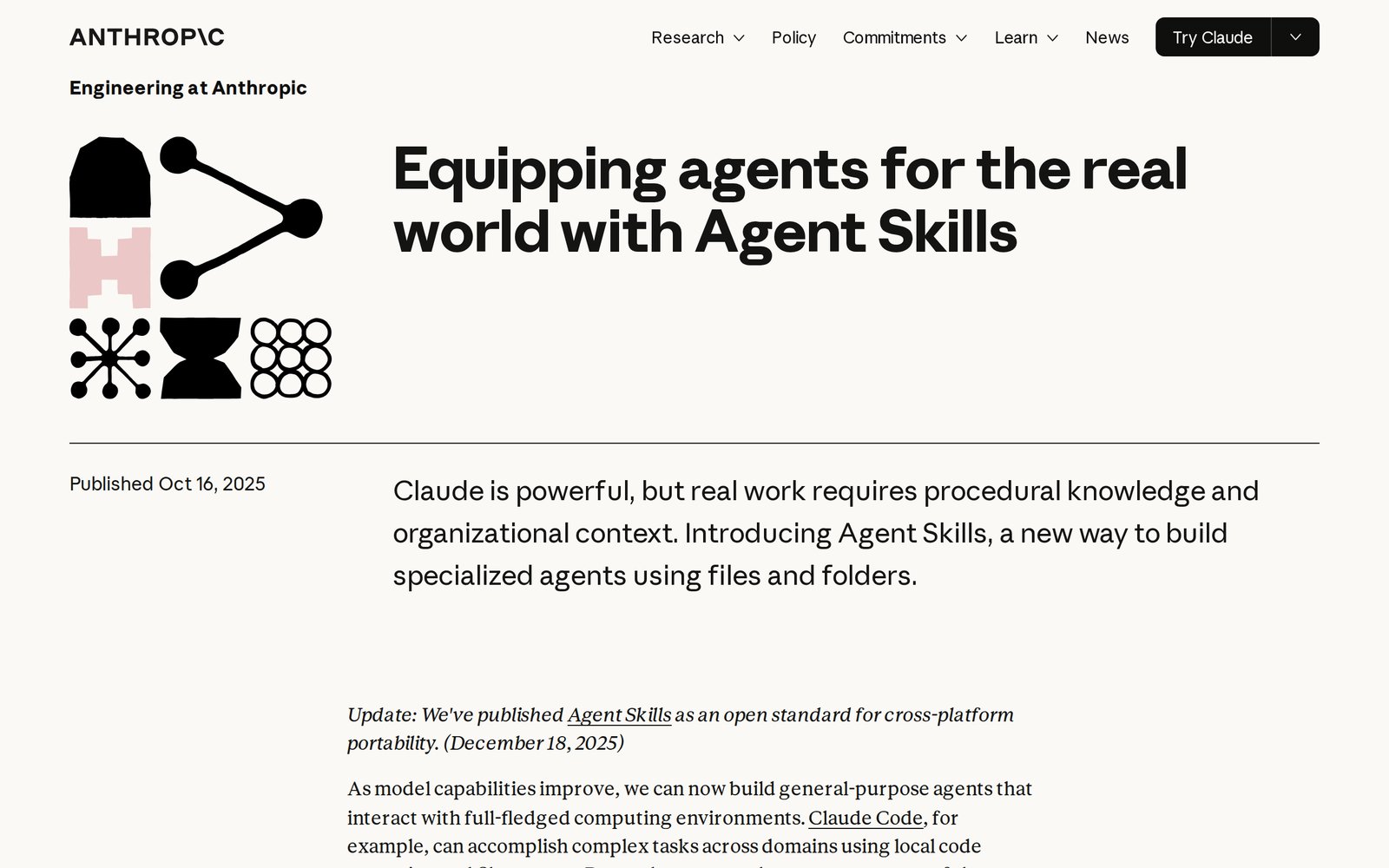
The idea came from Anthropic, which introduced Agent Skills in October 2025 and described them as "organized folders of instructions, scripts, and resources that agents can discover and load dynamically." In December 2025 it published the format as an open standard at agentskills.io, and most major agents have since adopted it.
The term also gets used loosely for "the things AI agents can do," or for the human skills you need to manage agents. Those are real topics, but when people building or buying agents say "skills" in 2026, they almost always mean this: a packaged procedure the agent can pick up and put down.
What is inside a skill folder
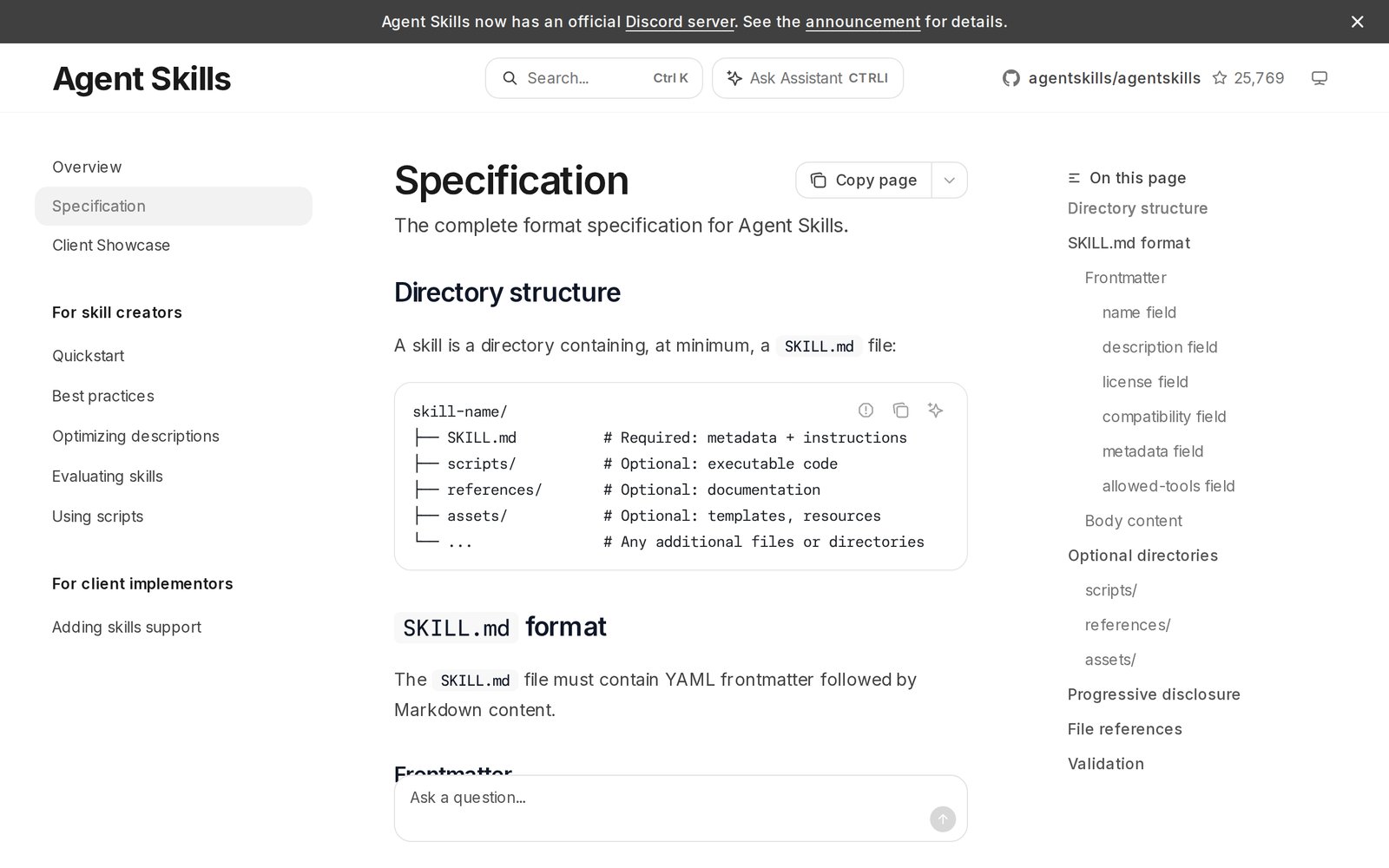
The Agent Skills specification keeps the structure deliberately small:
| Part | Required? | What goes in it |
|---|---|---|
SKILL.md |
Yes | Header with name and description, then the instructions |
scripts/ |
No | Code the agent can run, such as a report generator or a validator |
references/ |
No | Longer documents: your full policy, a price list, a style guide |
assets/ |
No | Templates, example files, lookup tables |
The header has hard limits. The name is up to 64 characters of lowercase letters, numbers, and hyphens. The description is up to 1,024 characters and, per the spec, "should describe both what the skill does and when to use it."
How Agents Load Skills
The clever part of the format is that an agent does not read every skill at once. It loads them in three levels, which the spec calls progressive disclosure.
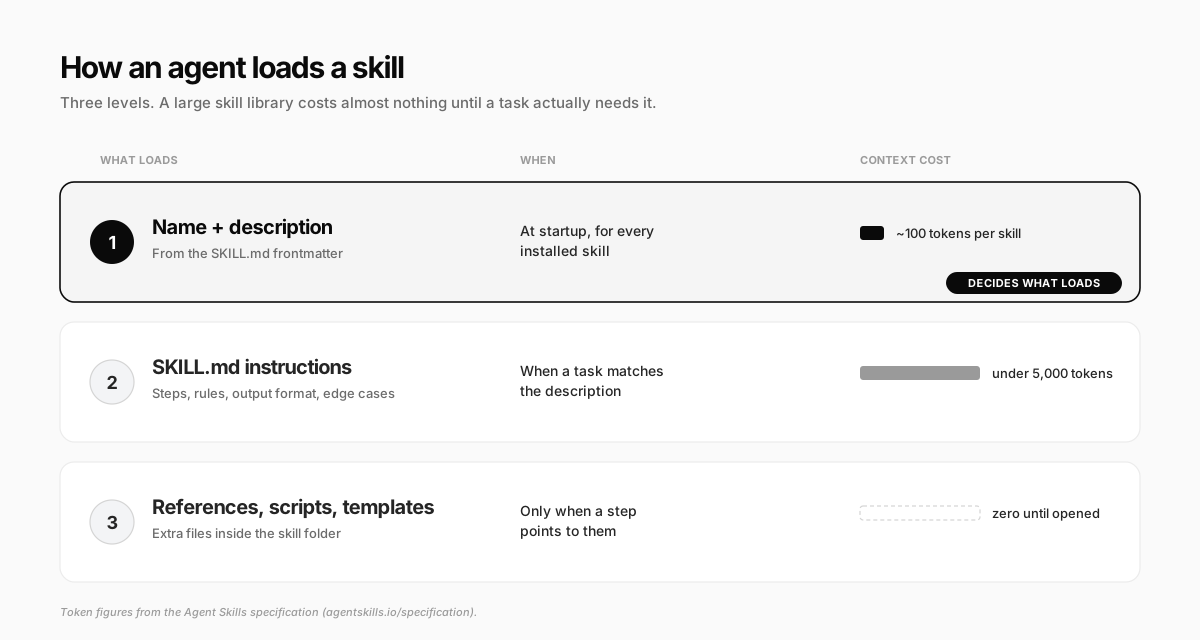
- Discovery. At the start of every session, the agent reads only the name and description of each installed skill, roughly 100 tokens apiece
- Activation. When your request matches a description, the agent reads that skill's full
SKILL.md. The spec recommends keeping this under 5,000 tokens and 500 lines - Execution. The agent follows the instructions and opens a reference file or runs a script only when a step points to it
This is why a business can keep dozens of skills installed without slowing the agent down or paying for context it never uses. It is also why the description carries so much weight: it is the only part the agent sees before deciding. Anthropic's authoring guide says the agent may be choosing from "100+ available Skills" using that one field.
Skills vs Prompts, Tools, and Memory
Skills overlap with several things you may already use. The difference is what each one holds and when it shows up.
| What it holds | When the agent sees it | Good for | |
|---|---|---|---|
| Prompt | One request | This conversation only | One-off tasks |
| Custom instructions | Standing preferences | Every conversation, always | Tone, name, timezone |
| Memory | Facts the agent picked up | When it recalls them | "Our busiest month is November" |
| Tool or integration | Access to a system | When it needs to act | Reading orders, sending email |
| Skill | A procedure | Only when the task matches | "How we handle refunds" |
The pair people confuse most is skills and tools. A tool gives the agent a key; a skill tells it what to do once it is inside. A skill that says "check the order in our store" is useless if the agent has no access to your store, and access to your store is risky without a skill that says what the agent may and may not do there. You usually need both.
Skills and memory are also what separate an agent that starts from zero every time from one that improves with use, which is the line we drew in AI employee vs AI agent.
Where AI Agent Skills Work Today
Because the format is an open standard, a skill you write is not locked to one product. The agentskills.io client list includes Claude and Claude Code, ChatGPT and Codex, Gemini CLI, Cursor, GitHub Copilot, VS Code, OpenCode, Goose, Databricks, Snowflake, and more than 30 others.
Public directories followed. skills.sh lists community skills you can install with one command, from writing and research skills to ones built for specific tools.
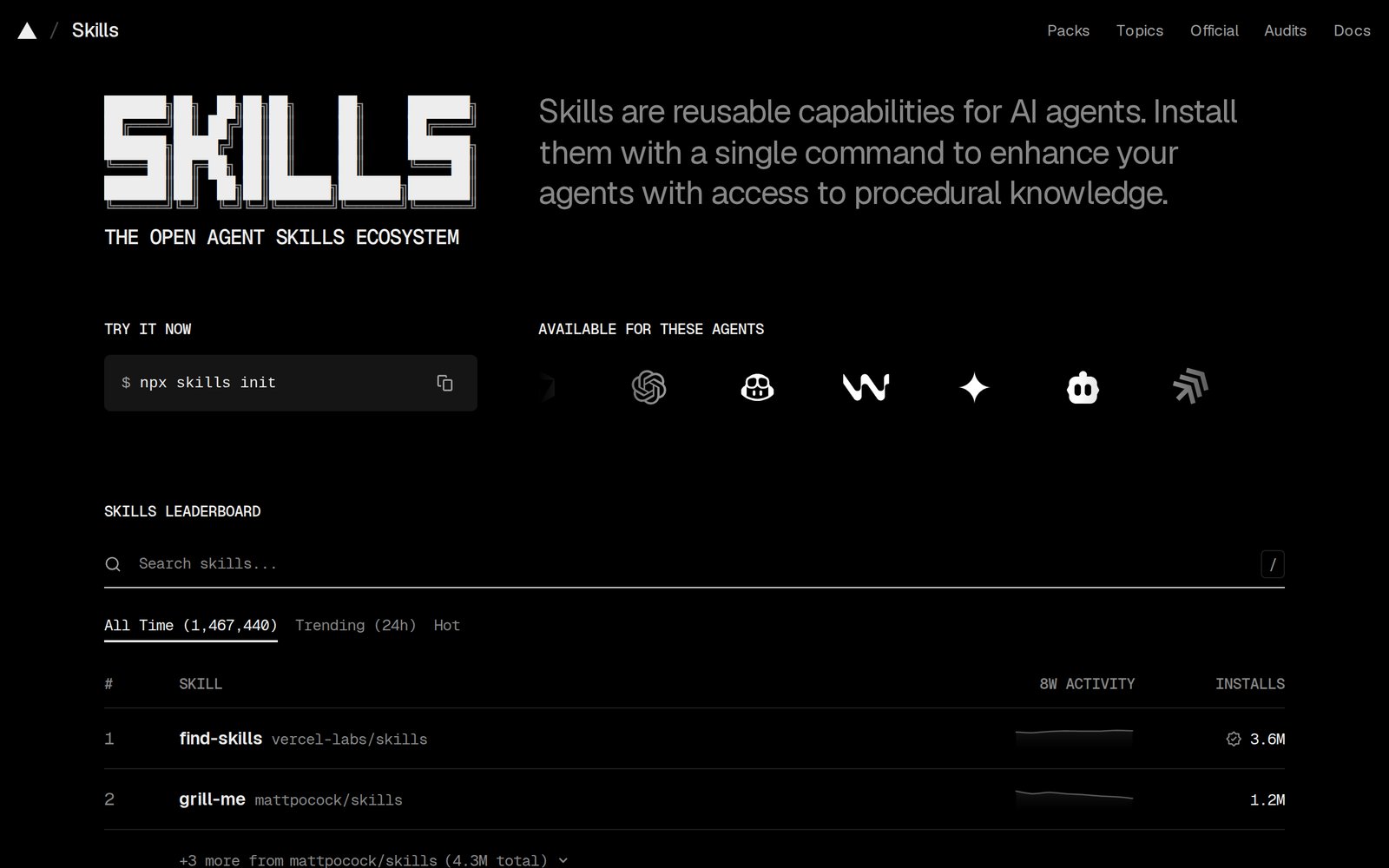
Much of that library is written by developers, for coding agents. The skills that matter for running a business are rarely on a leaderboard, because they encode things only you know: your policies, your voice, your numbers.
AI Agent Skills Examples for a Small Business
Here is what a starter skill library looks like for a business selling digital products or services:
| Skill | What it encodes | Fires when |
|---|---|---|
handling-refund-requests |
Refund policy, approval rules, reply tone | A customer asks for their money back |
writing-weekly-report |
Which numbers, which order, what counts as "notable" | You ask how the week went |
writing-in-brand-voice |
Words you use, words you never use, sample emails | Anything customer-facing gets drafted |
launching-a-product |
Your launch checklist, email sequence, pricing rules | You say "let's launch X" |
qualifying-leads |
Who is a fit, what to ask, when to book a call | A new lead comes in |
pricing-a-custom-quote |
Rate card, minimums, discounts you allow | A prospect asks "how much?" |
Notice what is missing: "write a blog post" or "summarize this PDF." The model already does those well. A skill earns its place by holding context the agent cannot guess.
What Deserves a Skill (and What Does Not)
Before you write anything, sort the task with two questions: how often does it repeat, and does the agent get it wrong without your context?
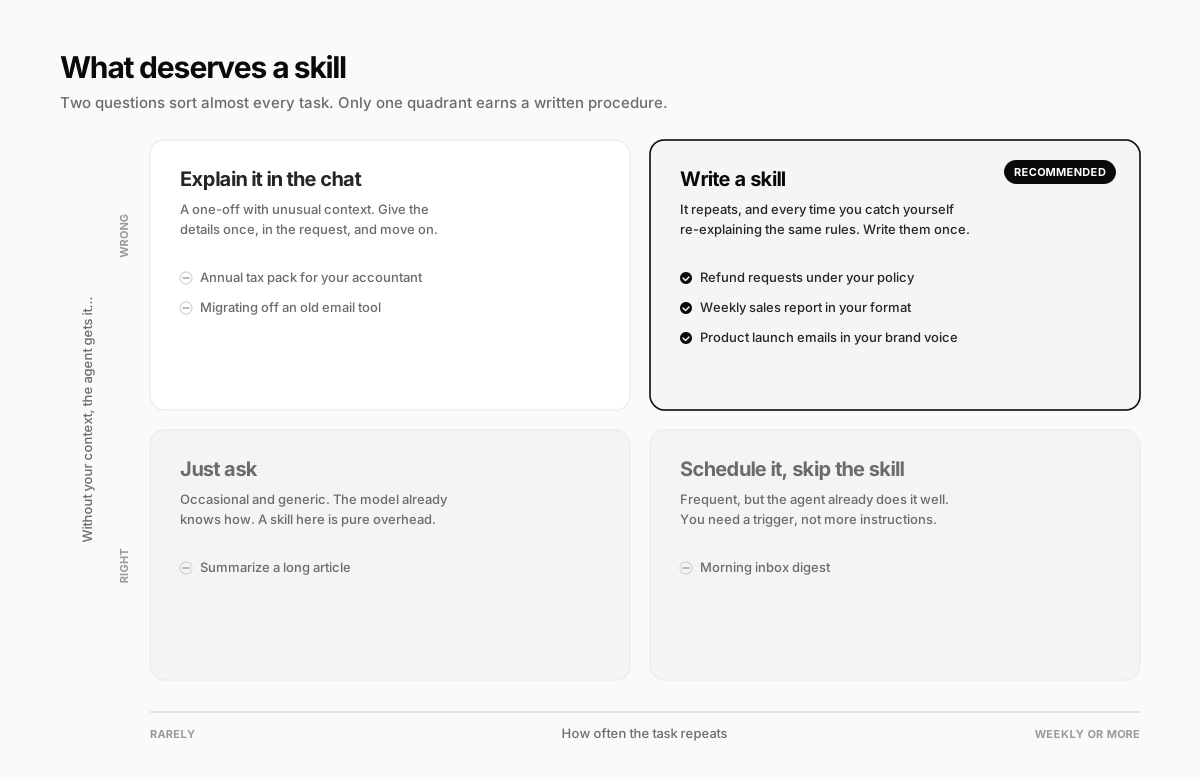
PostHog, whose teams have published 226 skills to an internal skill store, lands in the same place in its write-up on skill authoring: build skills for work that repeats, that agents struggle with by default, or that needs non-obvious context. Everything else is overhead that makes the agent's choice harder.
How to Write an AI Agent Skill
You do not need to code. A useful skill is a well-written procedure document with a sharp header.
Step 1: Do the task with the agent first
Anthropic's own advice is to start with a real conversation, not a blank file. Work through the task once, correct the agent as you go, and notice what you had to explain. Those corrections are the skill.
Step 2: Write the description before anything else
The description decides whether the skill ever loads. Write it in the third person, say what the skill does, and list the phrases a request might actually contain:
- Weak: "Helps with customers."
- Strong: "Handles refund requests for digital products. Use when a customer asks for a refund, says a purchase did not work, or mentions a chargeback."
Step 3: Write the body as goals and rules, not a script
State the goal, the hard rules, the steps, the output format, and the edge cases. Be precise about constraints and loose about wording. PostHog's warning is worth quoting: "Over-specification turns a skill into a workflow and strips the intelligence you are paying for."
Step 4: Move long material into references
If your full policy is three pages, put it in references/refund-policy.md and tell the agent exactly when to open it. Keep references one level deep: files that point to other files tend to get half-read.
Step 5: Test it on three real requests
Run three realistic requests, including one that should not trigger the skill. If it fires on the wrong job or misses an obvious one, the description is almost always the problem.
A complete example you can copy
---
name: handling-refund-requests
description: Handles refund requests for digital products (courses, templates, downloads). Use when a customer asks for a refund, says a purchase did not work, disputes a charge, or mentions a chargeback.
---

# Handling refund requests

## Goal
Resolve the request in one reply and keep the customer where possible.
Never refund outside policy without the owner's approval.

## Policy
- Courses: full refund within 14 days if under 30% of lessons completed
- Templates and downloads: no refund after download; offer a fix or an exchange
- Duplicate purchases: always refund the duplicate

## Steps
1. Look up the order: product type, purchase date, usage
2. Compare against the policy above
3. Within policy: draft the refund and the reply, then ask for approval
4. Outside policy: draft a reply offering the fix or exchange. Do not promise a refund
5. Chargeback, lawyer, or angry repeat contact: stop and hand it to the owner

## Reply style
Short and warm. Use their first name. Apologize once, not three times.
Sign off as "The Studio Team".

## Edge cases
- Bought the wrong course: offer a free swap before a refund
- Payment failed but they were charged: treat as a duplicate
That is under 250 words, and it replaces a conversation you would otherwise have every week.
What Nobody Tells You About Agent Skills
The format is simple. Living with a skill library for a few months is where the surprises are.
Skills collide as the library grows. PostHog's write-up cites Databricks finding the same thing: "agents increasingly pick the wrong skill as more are added." Two skills with overlapping descriptions ("customer emails" and "support replies") will trade places unpredictably. Merge them, or make each description name the situations the other one does not cover.
Skills rot quietly. Your refund window changes, your prices change, a tool gets renamed, and the skill keeps confidently applying the old rules. Put anything volatile in one reference file you actually maintain, the way you would in an AI agent knowledge base, and check skills whenever the underlying policy changes.
Third-party skills are software, not text. Snyk scanned 3,984 public skills in February 2026 and found security flaws in 36.82% and critical issues in 13.4%, including 76 confirmed malicious payloads built to steal credentials, install backdoors, or exfiltrate data. Anthropic's guidance is blunt: install skills only from sources you trust, and read anything else first. We covered the same risk in our look at OpenClaw alternatives, where community skills were one of the main concerns.
A skill does not grant permission. Instructions that say "issue the refund" do nothing without access to your payment system, and access without limits is the bigger danger. Keep money, sends, and deletions behind an approval step, whatever the skill says. It is the same rule we give for handing work to AI agents in a small business: anything leaving the building should draft, not send.
How Crevio Uses Skills
Crevio is an AI business builder: you describe what you want to sell, and its agent builds the store, handles payments, writes the marketing, and keeps working on the business with you. Skills are how that agent carries know-how between conversations.
Here is what that looks like in practice:
- It comes with skills built in. The agent ships with skills for cold email, lead magnets, pricing, SEO audits, ad creative, social posts, and working with PDFs, spreadsheets, documents, and slide decks
- You can install and upload your own. The Skills page in settings has a marketplace of community skills, and you can upload your own as a
.zip, a folder, or a singleSKILL.md. Uploaded skills stay private to your account - It writes skills from experience. After a long, involved task, Crevio reviews what happened and saves the durable part as a skill. These show up under "Learned by your AI," where you can read or remove them
- You can teach by showing. "Teach a task" records you doing something on the agent's computer, and Crevio turns the recording into a reusable skill
The honest caveat: a skill the agent wrote for itself is only as good as the conversation it learned from. Read what it saved, especially anything touching money or customers. Crevio has a free plan, so you can try the skills library without a card.
FAQ
No. MCP (Model Context Protocol) is one of several ways to connect an agent to your business apps, like your CRM or inbox. A skill is a written procedure that tells the agent how to use what it has. They work together: MCP supplies the access, and the skill supplies the judgment about when and how to use it.
No. Most useful business skills are plain Markdown: a header, a goal, rules, and steps. Scripts are optional and only worth adding for steps that must run exactly the same way every time, like generating a formatted report or checking a calculation.
Yes, in practice. Anthropic created the format for Claude and then published it as the open Agent Skills standard. A skill written for Claude generally works in any agent that supports the standard, as long as it does not depend on a tool only one product has.
As many as you have distinct, repeated procedures, and no more. The loading cost is small, but overlapping descriptions make the agent pick the wrong one. If two skills could plausibly answer the same request, merge them.
The Short Version
AI agent skills are the difference between an agent you manage and an agent you have trained. Start with the one procedure you keep re-explaining, write the description like the whole thing depends on it, and let the rest stay short. The best skill library is not the biggest one. It is the one where every file is something you were tired of saying.
Related Blog Posts
What will you sell today?
Describe what you want to sell — Crevio builds, launches, and grows it. Products, payments, and marketing, all on autopilot.
Start for free