Your business,
on autopilot.
One platform for creating, running and growing your business, powered by AI.
How to Connect AI Agents to Business Apps: 5 Methods and What Breaks





Last updated: September 2026
Connecting an AI agent to your business apps takes about a minute. Keeping that connection scoped, safe, and working six months later is the actual job. Most guides stop at the "Connect" button. This one covers the part after it: which of the five connection methods to use for each app, what access to grant, where approvals belong, and the handful of things that quietly break.
This is for business owners who want an agent working in the tools they already pay for (Gmail, Slack, HubSpot, Stripe, Shopify, Notion, Google Sheets) without handing it the keys to everything.
- There are five ways to connect AI agents to business apps: native integrations, MCP servers, integration platforms like Zapier, direct APIs, and a browser agent for apps with no API. Use the first one that fits
- Least privilege beats trust. Grant read access first, approve every write at the start, and widen only when the agent has earned it
- The agent should never see a password or API key. The platform holds the credential, the agent holds a permission
- Connections decay. Tokens expire, apps rate-limit you, and vendors change the rules. Plan for "reconnect needed" from day one
| Method | Setup | Best for | Permission control | What breaks first |
|---|---|---|---|---|
| Native integration (OAuth) | Minutes, no code | The mainstream apps you use daily | Scopes on the consent screen, plus per-action approvals | Expired or revoked tokens |
| MCP server | Minutes if official | Apps whose vendor runs one | OAuth scopes, tool list, action hints | Tool changes on the vendor's side |
| Zapier, Make, n8n | An hour per workflow | Fixed, event-triggered workflows | Which apps and actions you expose | Task quotas, two layers to debug |
| Direct API | Days, needs a developer | Custom or internal systems | Scoped keys you create | Rate limits, API version changes |
| Browser agent | Minutes to teach, long to trust | Portals with no API at all | Saved logins limited to specific sites | Page redesigns, logins, CAPTCHAs |
Which Connection Method to Use
Every method answers the same three questions: who holds the credential, what can the agent do with it, and who approves before it acts. The differences are in how much setup it takes and how much can go wrong.
Work down this list for each app, and stop at the first yes:
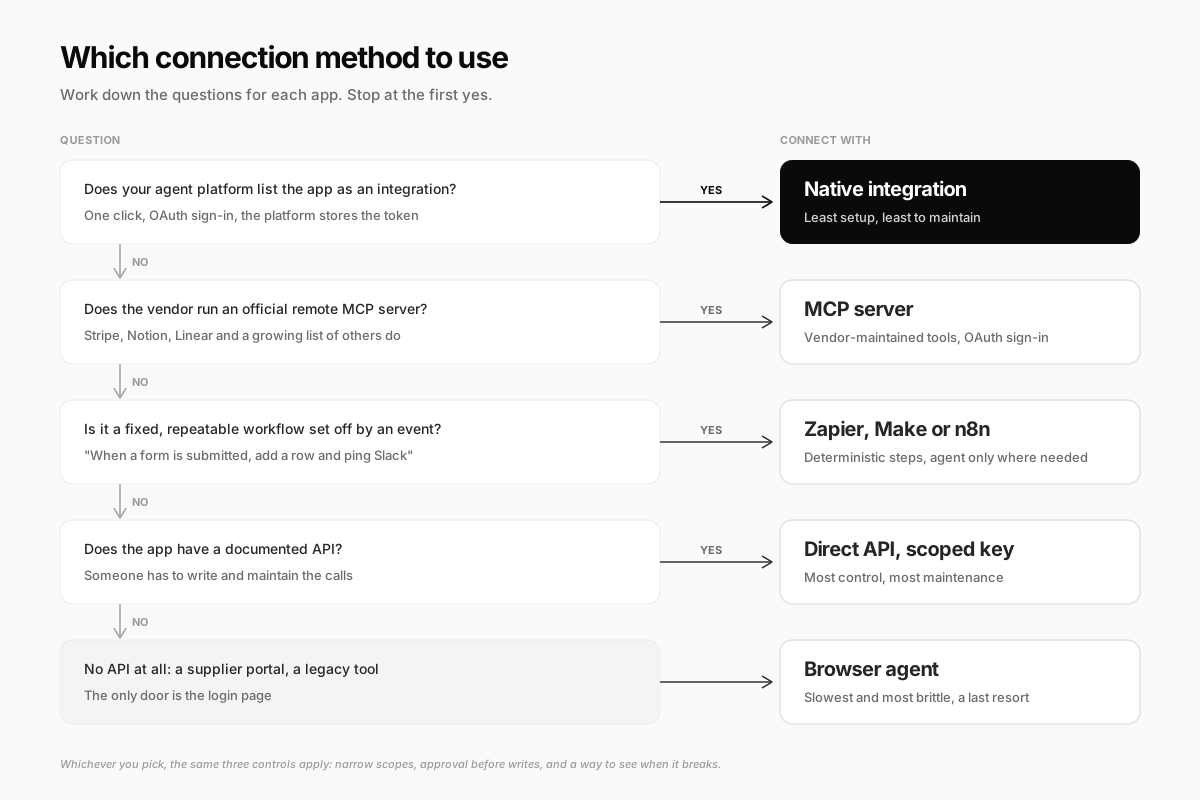
The order is deliberate. Each step down gives you more control and more to maintain. A native integration is someone else's job to keep working. A browser agent clicking through a supplier portal is yours.
1. Native Integrations: OAuth and the Consent Screen
For most business apps, the simplest way to connect an AI agent is the integration your agent platform already offers. You click "Connect," sign in to Gmail or HubSpot in a pop-up, approve a consent screen, and the platform stores the token. You never copy a key anywhere.
That consent screen is where least privilege starts, and it is worth reading. Google, for example, splits Gmail access into separate scopes: read-only, send only, compose drafts, modify, and full access, which can also "permanently delete all your email." An agent that summarizes your inbox needs the first one. An agent with the last one can empty it.
Notion takes a different approach that works well for agents: during sign-in you pick the specific pages and databases to share, and the integration cannot see anything else. Share your "Content calendar" database, not your whole workspace.
What to check before you click Allow:
- Does it ask for more than the job needs? If a reporting agent wants send or delete rights, find out why
- Whose account is it? Connecting your personal Gmail gives the agent your personal inbox. For shared work, a team mailbox or a dedicated account is cleaner
- Can you turn off individual actions? Scopes are coarse. "Modify Gmail" covers both labeling and archiving. Per-action switches inside the agent platform are what let you allow one and block the other
What breaks: the token. Google lists seven reasons a refresh token stops working, including the user changing their password (for tokens with Gmail scopes), six months without use, and an admin restricting the app. When it happens, the connection fails until someone reconnects.
2. MCP Servers: The Standard Plug for AI Agents
The Model Context Protocol (MCP) is an open standard for connecting AI applications to outside tools and data. Its own docs call it "a USB-C port for AI applications": the app runs an MCP server that describes its actions as tools, and any MCP-compatible agent can use them.
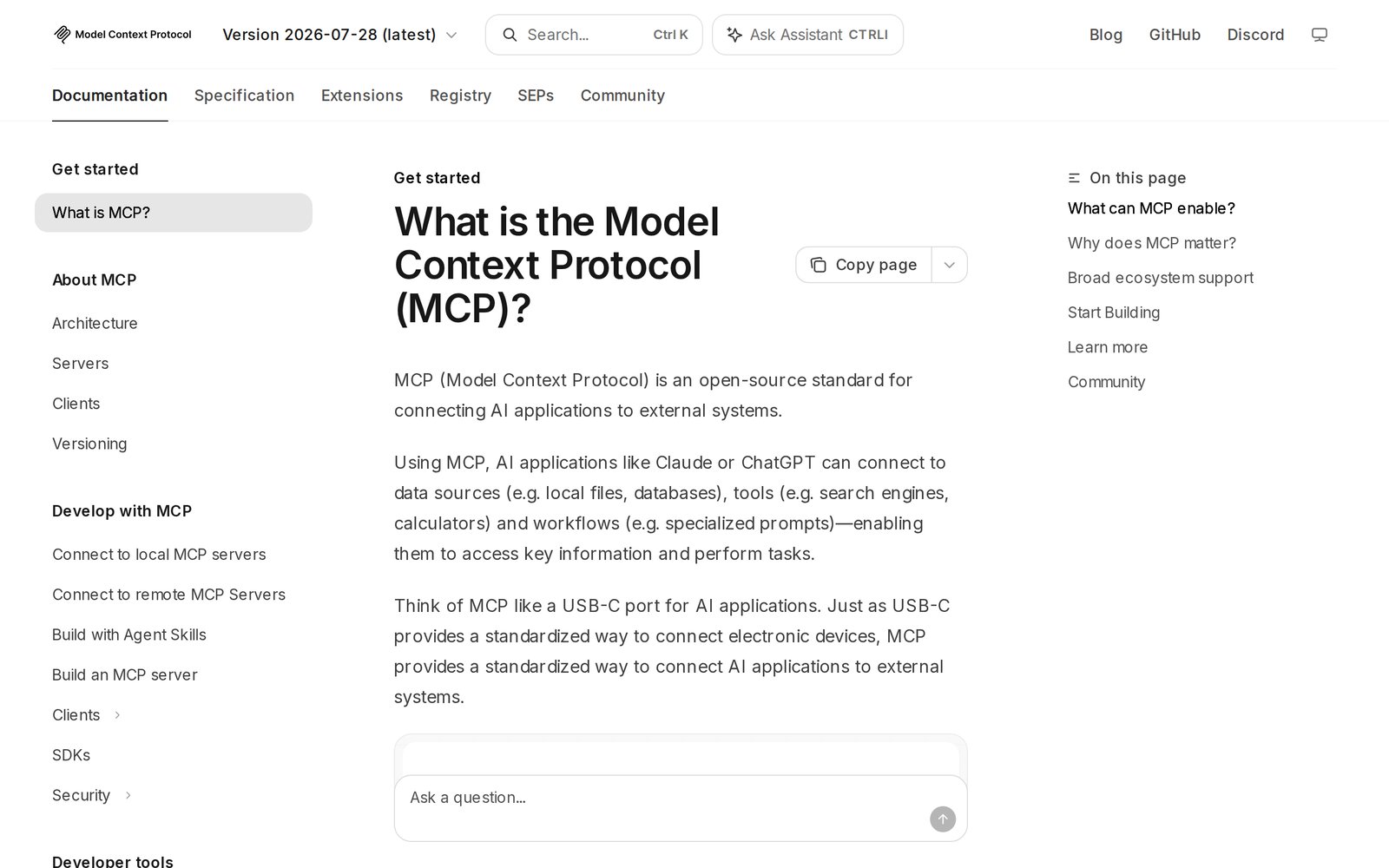
The practical win is that the vendor maintains the tools. Stripe runs an official MCP server at mcp.stripe.com, and Notion, Linear and a growing list of others offer their own. When the API changes, they update the server, not you.
MCP has three features that matter for permissions:
- OAuth sign-in. Remote MCP servers use the same consent flow as native integrations, so you still control scopes
- Action hints. Tools can declare themselves read-only or destructive. A well-built agent platform uses those hints to decide what runs on its own and what asks first
- Vendor-side guardrails. Stripe's server requires a human confirmation link before certain write actions such as refunds and outbound payments, and says to "enable human confirmation of tools" on your side too
What breaks: trust and change. The MCP project's own security best practices warn against over-broad "omnibus" scopes and local servers that run with your computer's full privileges. Tool descriptions come from the server, so only connect servers from vendors you would give an API key to. And vendors do change the rules: Stripe's MCP docs say that from October 31, 2026 it stops accepting full-access secret keys and restricted keys without an "Agent" tag, so older setups have to reconnect with OAuth or a new agent key.
3. Integration Platforms: Zapier, Make and n8n
Integration platforms connect your agent to thousands of apps through one hub. There are two ways to use them, and they suit different jobs.
The agent calls the platform. Zapier MCP lets an AI client use Zapier's catalog of 9,000+ apps and choose from their actions. You decide which apps and actions are exposed, and each tool call uses two tasks from your Zapier plan.
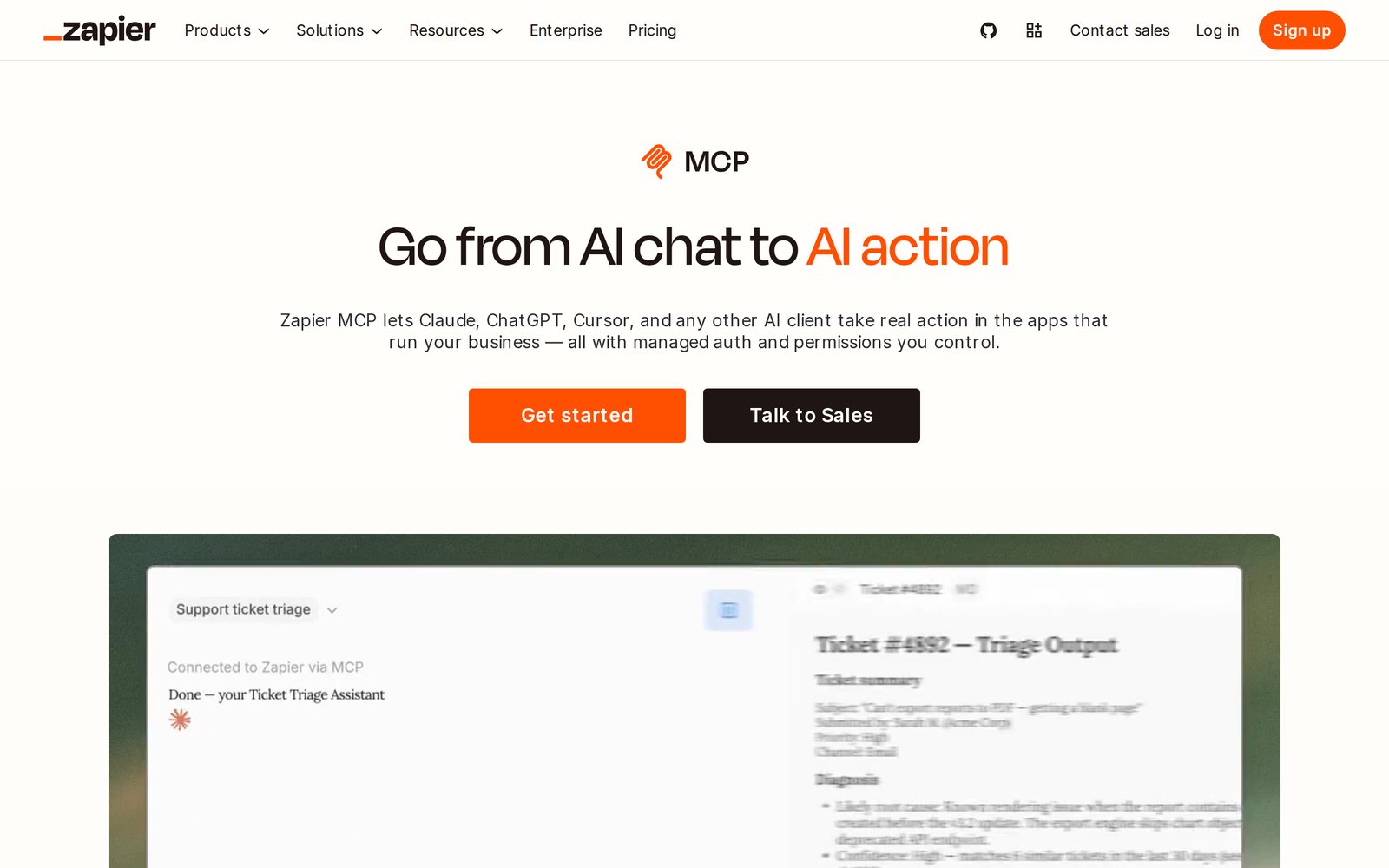
The platform calls the agent. A classic workflow ("when a form is submitted, add a row to Google Sheets and post in Slack") runs step by step, and the AI only handles the one step that needs judgment, like drafting the reply. Make and n8n both support this pattern, and n8n can be self-hosted if you want the data on your own server.
Use the second pattern whenever the steps never change. A fixed workflow is cheaper, faster and more predictable than asking an agent to rediscover the same five steps every time. If the job does need judgment but follows a known routine, write the routine down as an agent skill instead.
What breaks: the middle layer. You now have two sets of connections that can expire, two permission systems to keep in sync, and a task quota that can run out mid-month. When something fails, you debug the agent, the platform, and the app.
4. Direct APIs: The Most Control, the Most Upkeep
If an app has a documented API but no integration or MCP server, a developer can wire the agent to it directly. This is the right call for internal systems and niche tools. It is also where credential handling matters most, because now a real key exists.
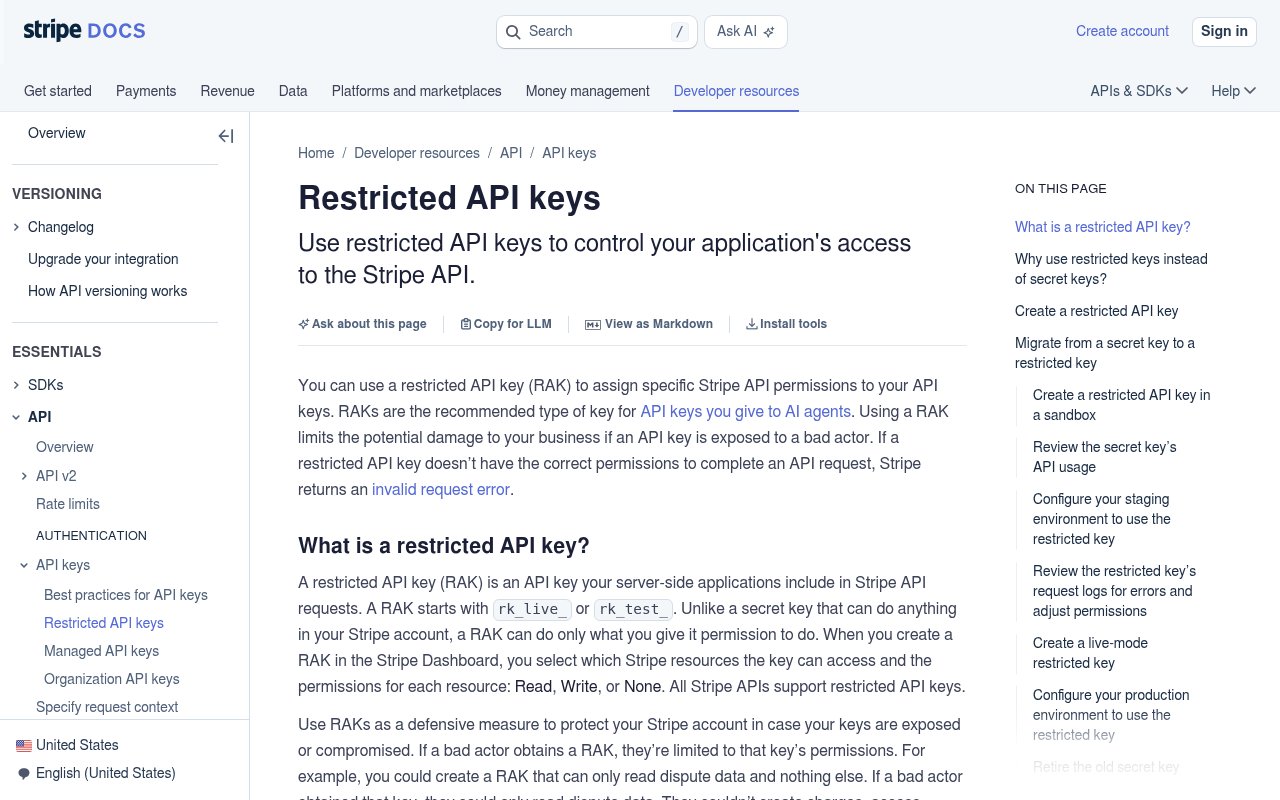
The rule: create a key for the agent alone, with the least access that works. Stripe's restricted API keys are the model to copy. Each resource gets None, Read or Write, the default for everything is None, and Stripe explicitly recommends them for keys you give AI agents.
What breaks: rate limits and duplicates. Every API caps how fast you can call it, and agents doing bulk work hit those caps:
- HubSpot private apps allow 100 requests per 10 seconds on Free and Starter, and 190 on Professional and Enterprise
- Slack limits posting to one message per second per channel, and newly created non-Marketplace apps got tighter limits on reading channel history from May 2025
- Notion averages 3 requests per second per connection on most plans
- Shopify uses a bucket system: fill the bucket and you get a throttle error until capacity returns
A 429 "Too Many Requests" response usually comes with a Retry-After header saying how long to wait. The agent should wait and resume, not hammer the API or give up halfway through updating 400 contacts. For payments, use idempotency keys so a retried request cannot charge a customer twice.
5. Browser Agents for Apps Without an API
Some tools have no API at all: a supplier portal, a government filing site, the ten-year-old booking system your industry runs on. For those, the last option is an agent that uses a real browser, reading the screen and clicking like a person would.
It works, and it is the most fragile method on this list. It is slower, a redesign can break it overnight, and web pages can contain text that tries to give the agent instructions. Anthropic's computer use documentation is blunt about the precautions: run it in a dedicated virtual machine, avoid giving the model login credentials directly, and require human confirmation for anything with real-world consequences, like financial transactions or agreeing to terms of service.
How to do it safely:
- Keep logins out of the chat. The agent should fill a saved login without ever seeing the password, and only on the site that login belongs to
- Watch the first runs live. You want to see where it hesitates before it runs unattended
- Hand back the hard parts. CAPTCHAs, unusual security checks and anything that needs your judgment should come back to you, not get guessed at
- Move off it when you can. If the vendor ships an API or integration, switch
Least Privilege for AI Agents: What to Grant in Each App
OWASP's guide to LLM security names this risk Excessive Agency and traces it to three causes: too many tools, too many permissions, and too much autonomy. Each one has a fix you control when you connect AI agents to business apps: fewer actions, narrower scopes, and approval before the risky ones.
Here is a starting policy for common apps. Treat it as a default to copy, then loosen it on evidence.
| App | Start with | Add once it has earned it | Always ask first |
|---|---|---|---|
| Gmail | Read and search | Drafts, labels | Sending, deleting |
| Slack | Reading the channels it is in | Posting in one internal channel | Posting in customer-facing or shared channels |
| HubSpot | Reading contacts and deals | Updating properties, adding notes | Bulk edits, deletes, marketing emails |
| Stripe | Read-only on the resources it reports on | Drafting invoices and payment links | Refunds, charges, payouts |
| Shopify | Reading orders and products | Editing product descriptions | Prices, discounts, refunds |
| Notion | Only the pages you share | Editing one database | Deleting pages |
| Google Sheets | One shared spreadsheet | Appending rows | Overwriting or deleting data |
Two rules sit above the table. Anything the agent cannot classify should ask. And the agent should never be able to change its own permissions without you signing off. We go deeper on where to draw the approval line, and how to avoid clicking "approve" on autopilot, in our guide to human in the loop AI agents.
Credential Handling: The Agent Should Never See the Secret
The single most common mistake is pasting an API key or password into the chat so the agent "can just do it." Chats are stored, can be saved into the agent's memory, and get read back into later conversations. A key in a chat is a key in a dozen places.
Instead:
- Let the platform hold OAuth tokens. With native integrations and MCP, you never handle a token at all
- Keep API keys in a secrets store, referenced by name, never typed into a prompt
- Use a vault for logins. A browser agent should fill a saved login into the page without the value ever passing through the model
- One credential per agent or job. When one is compromised, you revoke one thing, not your whole stack
- Review access quarterly. Remove connections nobody has used, the same way you would remove a former contractor
What Breaks After You Connect AI Agents to Business Apps
Every connection goes through the same four stages, and each has its own way of failing:
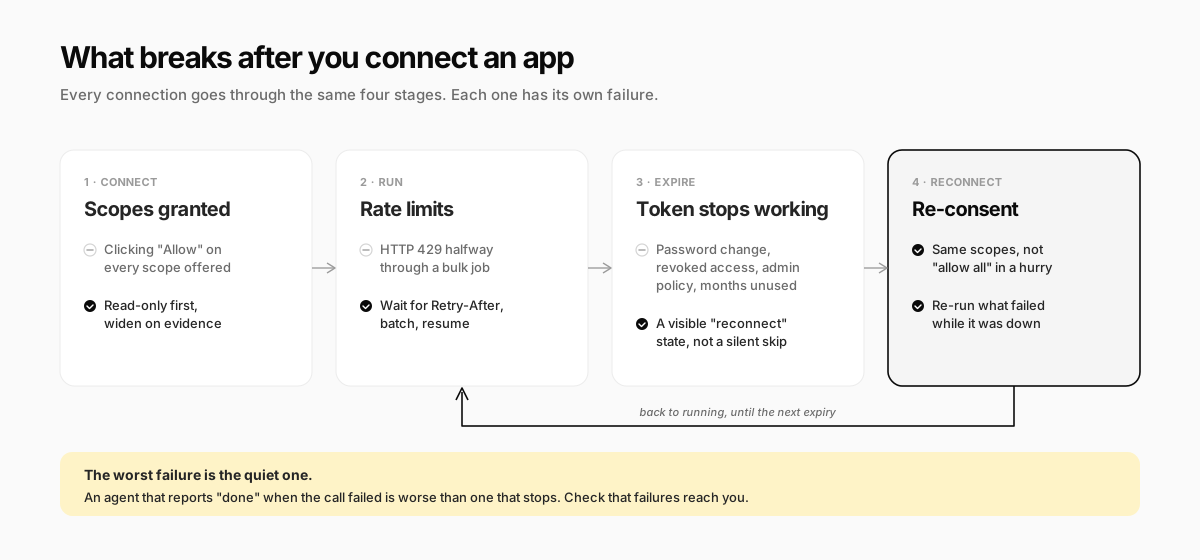
The one that costs businesses most is not on any vendor's status page: the silent failure. An agent whose Gmail connection expired on Tuesday may keep "running" your inbox task and report that nothing needed attention. Before you rely on any connection, test what happens when it breaks. Disconnect the app on purpose and see whether you hear about it.
Signs your setup handles failure well:
- A connection that needs attention shows up clearly, not buried in a log
- A task that fails tells you what failed and what it did before failing
- After you reconnect, you know which runs need to happen again
- Rate-limited jobs resume where they stopped instead of starting over
How Crevio Connects to Your Business Apps
Crevio is an AI business builder: you describe what you want to sell, and the AI builds it, launches it, and works on growing it. Its agent connects to the tools you already use through native integrations, MCP servers, and a browser of its own, and your other systems can reach it through webhooks and an API.
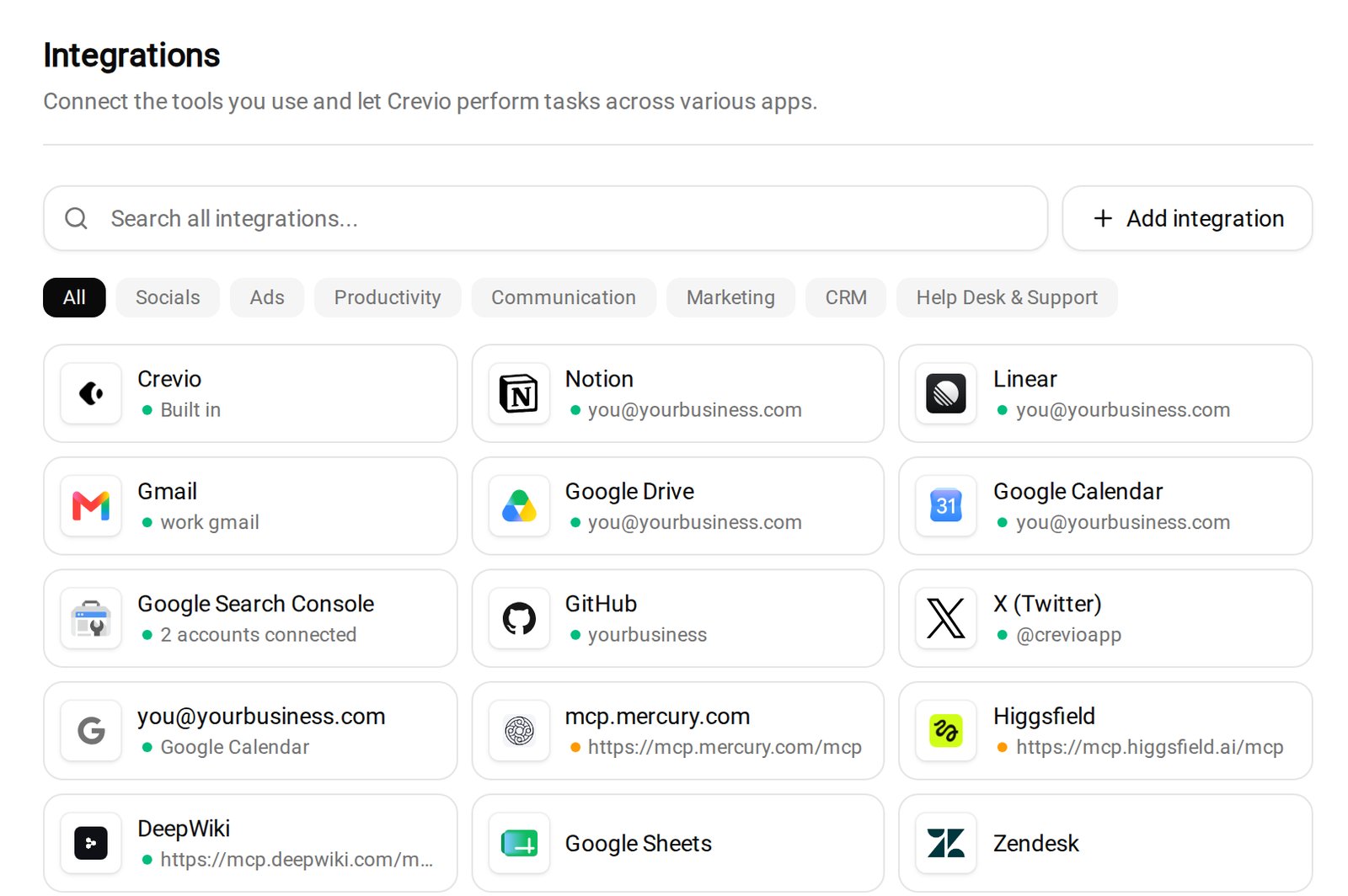
Native integrations. Under Settings → Integrations, you search a catalog of 3,000+ apps and click "Connect." Most sign in with OAuth. Apps that use API keys ask for the key in the same dialog, and Crevio tests it, telling you if the app rejects it. You choose whether a connection is shared with your whole team or just you.
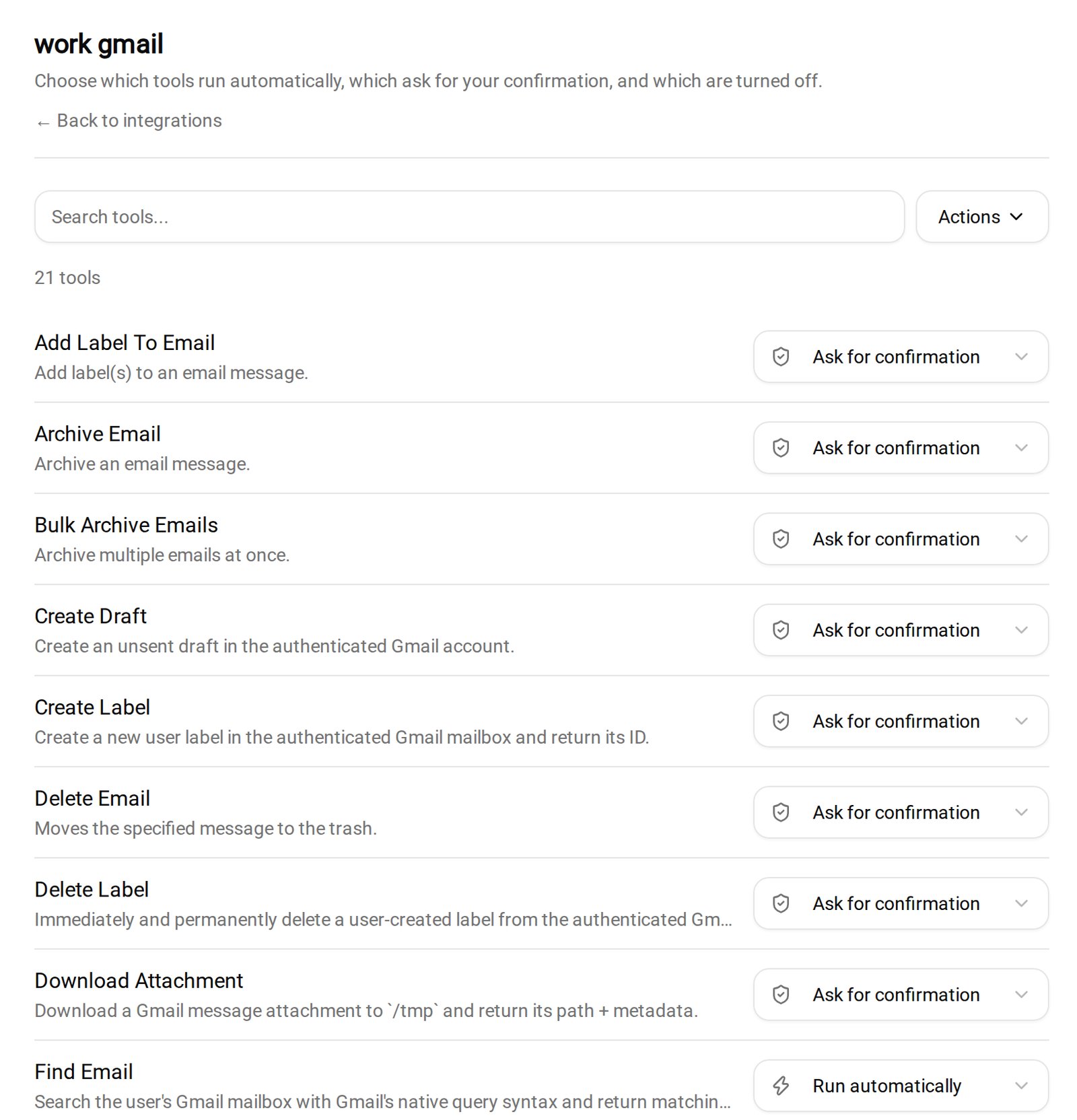
Per-action approvals. Every connected app gets its own approvals page where each action is set to "Run automatically," "Ask for confirmation," or "Off." By default, actions that read or search run on their own, and actions that create, send, change or delete ask first. Anything Crevio cannot classify asks. When the agent needs a decision, it shows the exact action in the chat with "Allow once," "Always allow," and "Deny," and the same request can reach you in Slack, Telegram or Discord.
Custom MCP servers. If an app is not in the catalog but its vendor runs a remote MCP server, you add it by URL and sign in with OAuth. Those tools get the same per-action approvals, and Crevio uses the server's read-only and destructive hints to set the defaults.
Reconnects. When a connection's sign-in expires or is revoked, the app shows "Reconnect needed" on the integrations page. If the agent tries to use it anyway, it is told the app must be reconnected, rather than failing quietly.
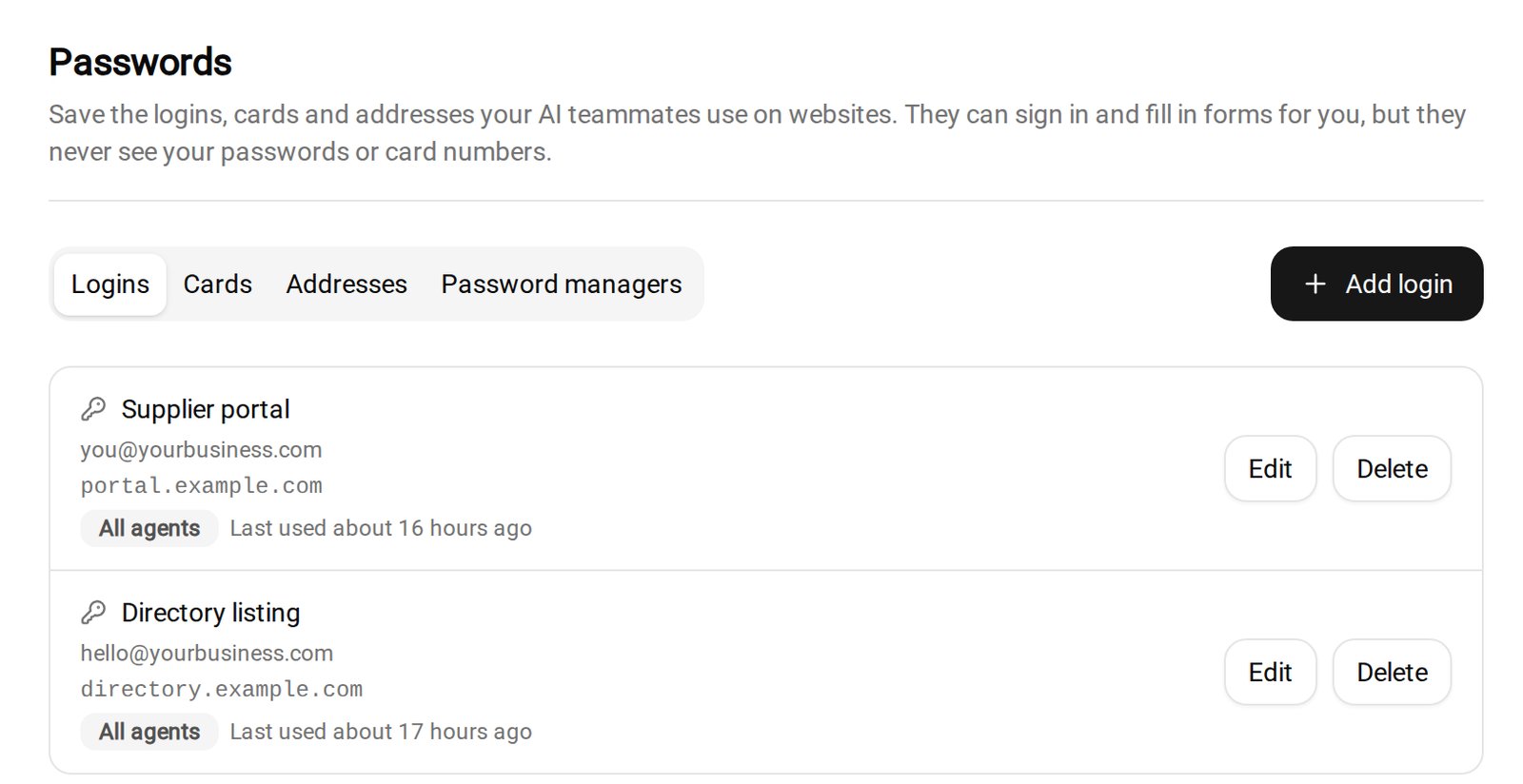
A computer with a browser, and a vault. For sites with no integration, each Crevio account has its own computer with a browser the agent can use. You can watch its screen live and click in to take over, and when it needs a human step, it asks you to. Logins live under Settings → Passwords: the agent can sign in and fill forms, but it never sees your passwords or card numbers. Each login can be limited to specific websites and specific agents, can include an authenticator key for two-factor codes, and every payment with a saved card needs your approval in the chat.
Where it is honestly weaker:
- No Zapier app. To wire Crevio into a Zapier or Make workflow, use outbound webhooks (Pro and Business plans) or the REST API
- Only remote MCP servers. Servers that run locally on your own computer are not supported
- Crevio's own actions run without approval by default. The ask-first defaults cover connected third-party apps. Built-in actions like publishing a post or sending an email campaign run on their own unless you schedule them as supervised tasks
- Browser work is slower. It is the right tool for a portal with no API, and the wrong one for anything an integration can do
- "Always allow" is one click. Use it for actions you have watched succeed, not to clear a queue
The Starter plan is free, needs no credit card, and includes 20 AI credits a month with a 5% transaction fee. Pro is $20/month and Business is $50/month, with lower fees of 2.5% and 1%. No agent should run every app unsupervised on day one, ours included. The point of scoped connections is that you do not have to.
What Nobody Tells You
- Your first scopes will be too narrow, and that is fine. A 403 error you fix in a minute beats an agent with delete rights it never needed
- Personal accounts are a trap. If the agent runs on your personal Gmail and you leave or change the password, every task using it stops. Shared work belongs on shared accounts
- Duplicate connections drift. Connect the same app through Zapier and natively, and you now have two permission sets and two expiry dates. Pick one path per app
- Instructions are not permissions. "Don't delete anything" in a prompt is a request the model weighs. "Off" on the delete action is a wall
- A shared connection acts as whoever connected it. If your team shares one Gmail connection, everything the agent sends goes out from the account of the person who signed in. Decide whose name that should be before you click Connect
FAQ
Use your agent platform's native Gmail integration so you sign in with Google rather than sharing a password. Grant read access first, set sending and deleting to require approval, and connect a shared business mailbox rather than a personal one if the work is shared.
MCP is an open protocol: an app's own MCP server exposes its actions directly to any compatible agent. Zapier is an integration platform that sits in the middle, offering thousands of apps through one connection. Zapier MCP combines them, letting an MCP agent reach Zapier's catalog, with each call using Zapier tasks.
Yes, through a browser or computer-use agent that operates the website like a person. It is slower and breaks when the site changes, so use it only when no integration, MCP server, or API exists. Keep logins in a vault the agent cannot read, and approve anything involving money.
Connecting the app is the easy part. The work is deciding what the agent may do there, and noticing the day it stops being able to.
Related Blog Posts
What will you sell today?
Describe what you want to sell — Crevio builds, launches, and grows it. Products, payments, and marketing, all on autopilot.
Start for free

