Your business,
on autopilot.
One platform for creating, running and growing your business, powered by AI.
7 Best Squad Alternatives in 2026 (Compared by Job)





Last updated: September 2026
Squad is one of the better-argued products in the AI agent category, and its pricing model is the main reason people go looking for something else. You pay $99/month to Squad and bring your own AI subscription, which they recommend budgeting at $100 to $200. That puts the realistic all-in cost at roughly $199 to $299 a month before you have automated anything.
For a business running real volume, that is a genuinely good deal, and the flat fee means no per-task surprises. For someone still finding out whether agents help at all, it is a steep floor when several competitors start free.
This guide is ordered by the job you were hiring Squad to do.
- You want an agent to run an online business (sell, market, manage customers) → Crevio
- You want AI teammates where your team already works, in Slack or Teams → Viktor
- You want per-agent permissions and hard spend caps → Tasklet
- You want managed agents with the model included → Lindy
- You want the lowest cost at scale, and to own the stack → n8n
- You want one generalist agent with its own computer → Grok Bot or Claude Cowork
- You want open source and full control → OpenClaw
Quick Comparison
| Platform | Entry price | Cost model | Best for |
|---|---|---|---|
| Crevio | Free (1-5% tx fee) | Plan + transaction fee | Running a business: products, payments, customers |
| Viktor | Free ($100 credits), then $50/mo | Credits | AI teammates inside Slack and Microsoft Teams |
| Tasklet | Free, then $25/mo | Credits, no seat fees | Granular permissions and per-agent spend caps |
| Lindy | $29.99/mo per user | Per-user credits | Managed agents with the model included |
| n8n | Free self-hosted | Self-host or flat cloud | Lowest cost at volume, full data control |
| Grok Bot | $20/mo (Cursor Pro) | Weekly allowance + overage | A generalist agent on its own cloud computer |
| OpenClaw | Free self-hosted | Your model API costs | Owning the whole stack, any OS |
| Squad | $99/mo + your AI plan | Flat fee, bring your own model | Named teammates with separate logins and permissions |
Prices verified against each provider's own pricing page in September 2026. This category changes fast, so check before subscribing.
What Squad Actually Is
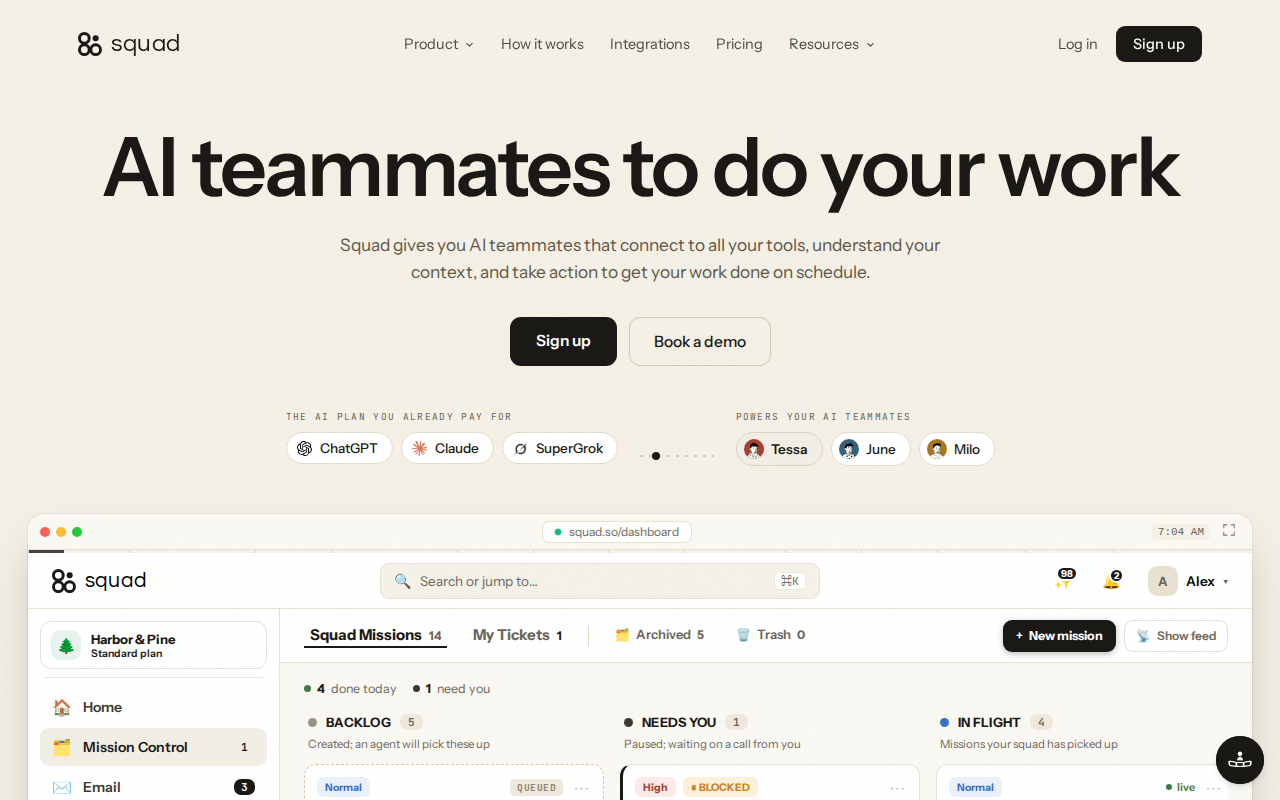
Squad gives you named AI teammates that connect to your tools, hold context, and work on a schedule. It was called MissionControlHQ until August 2026.
The product is built around one strong idea: each teammate gets its own logins, its own email address, and its own access controls. That is a direct answer to the biggest structural complaint about generalist agents. On Grok Bot, for instance, every Bot on your account shares one cloud computer, and SpaceXAI's own documentation says not to treat separate Bots as a security boundary. Squad's argument is that separation should be built into the platform rather than written into a prompt, and it is a good argument.
What Squad genuinely does well:
- Per-teammate credentials and permissions, which is what agencies and anyone handling client data actually need
- A secret vault that keeps API keys and passwords out of chat threads
- Approval gates and audit logs as first-class features rather than afterthoughts
- Bring your own model, with fallbacks when one provider runs out of quota, so an outage does not stop work mid-task
- No per-task charges on top of the subscription
Why people look for alternatives:
- The floor. $199 to $299 all-in is a real commitment before proving the concept, when Tasklet, Viktor, and self-hosted n8n all start free
- Two bills. You manage a Squad subscription and a separate AI subscription, including its quota
- Integration count. 70+ integrations is respectable but well behind Viktor's 3,200+ or n8n's 500+
- It orchestrates, it does not replace. You still pay for and maintain the tools underneath
- It is new. The rebrand from MissionControlHQ was August 2026, so there is little independent long-run evidence yet
The Real Decision: Flat Fee or Metered
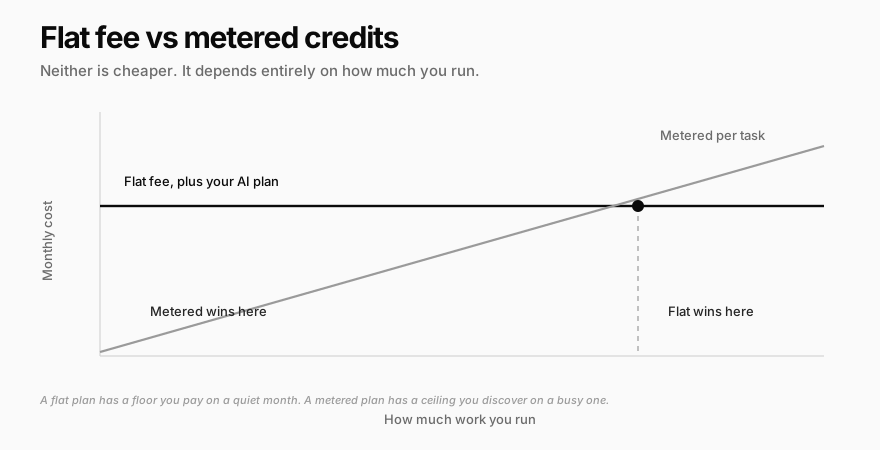
Most comparisons in this category argue about features. The thing that will actually determine your bill is the pricing shape.
Metered platforms charge per task or credit. Viktor, Tasklet, and Lindy all work this way. They start at or near zero, which is ideal for testing, and climb with usage.
Flat platforms charge a fixed fee. Squad is $99 plus your own AI plan. Self-hosted n8n is close to free plus a small server. These have a floor you pay in a quiet month and no ceiling you discover in a busy one.
The honest summary: if you are still finding out whether agents help, a free or metered tier is the right purchase, and Squad's floor is money spent learning something a free tier would have taught you. If you are already running steady volume, flat pricing is usually cheaper and always more predictable. Note that Tasklet splits the difference by letting admins set per-agent credit limits, which caps the metered downside.
1. Crevio: Best if the Outcome You Want Is a Running Business
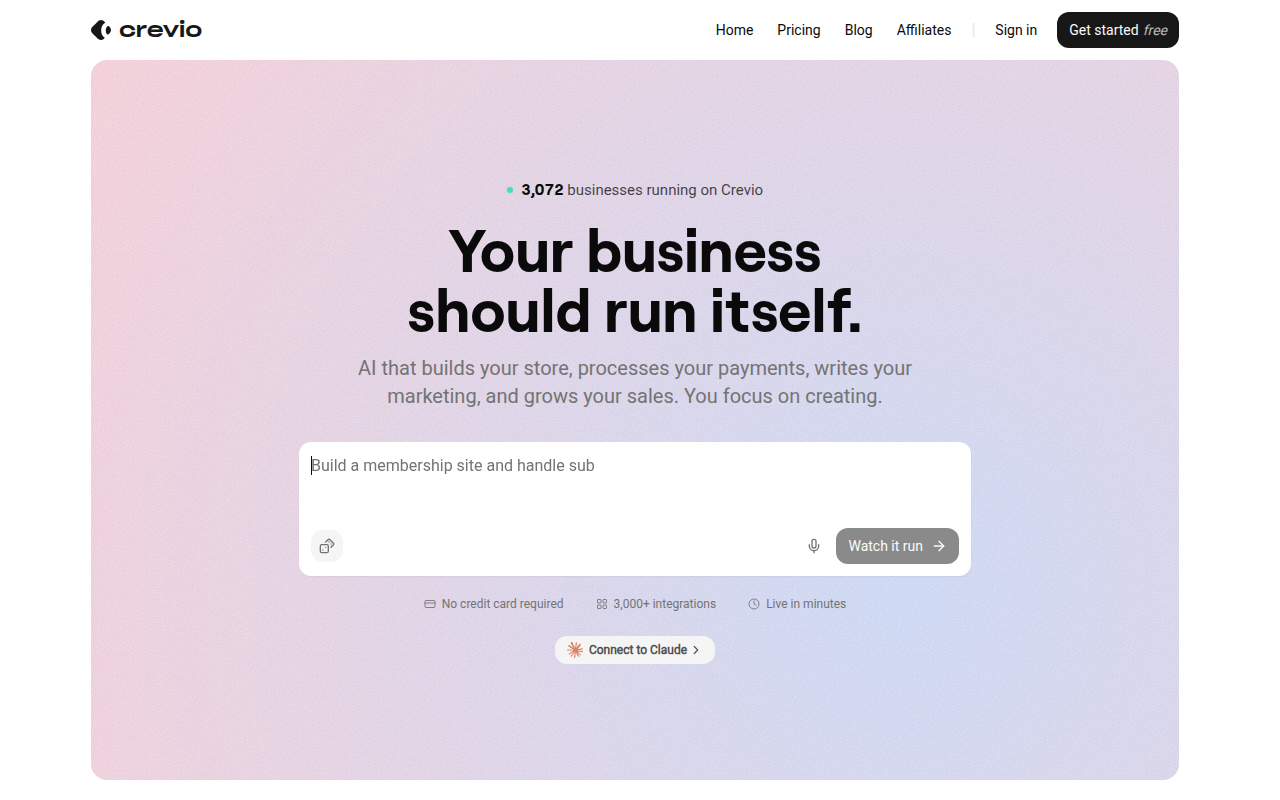
Being direct about scope, because this is where comparison posts usually get dishonest: Crevio is not a general-purpose Squad replacement. It can work in a connected Gmail inbox and use its own browser for a vendor portal, but it is built to run a business you sell through, not to orchestrate arbitrary errands across your tool stack. If that is the job, the options below are the better answer.
Crevio is an AI business builder. It applies when what you want is not a set of teammates completing tasks but a business that runs: you describe what you want to sell, and the AI builds it, launches it, and works on growing it.
The relevant difference from an orchestration layer is where the knowledge lives. Squad connects agents to tools you already pay for. Crevio's agents work on top of the business itself, where products, Stripe-powered checkout, subscriptions, customer records, and analytics are native features rather than integrations you wire together and keep in sync.
Where Crevio wins:
- Free to start, against a $199 to $299 all-in floor
- One bill, with no separate AI subscription to manage or top up
- The commerce layer is not an integration. Checkout, subscriptions, and customer records are built in
- 3,000+ integrations and a full REST API, so your data stays portable
Where Crevio genuinely loses:
- No general purpose task execution. It runs a business; it is not a set of teammates you hand arbitrary work to
- No per-agent permission model of the kind Squad is built around
- No physical products, inventory, or shipping. It is not a Shopify replacement
- Transaction fees on every plan (5% Starter, 2.5% Pro, 1% Business). There is no 0% tier
Pricing: Starter is free with 20 AI credits a month and 2 published products. Pro is $20/month with 1,000 credits and unlimited products. Business is $50/month with 2,500 credits, a custom domain, and unlimited seats.
Honest about the frontier too: nobody's agents are fully autonomous today, ours included. We went into what is actually achievable in can AI run a business.
2. Viktor: Best if Your Team Already Lives in Slack
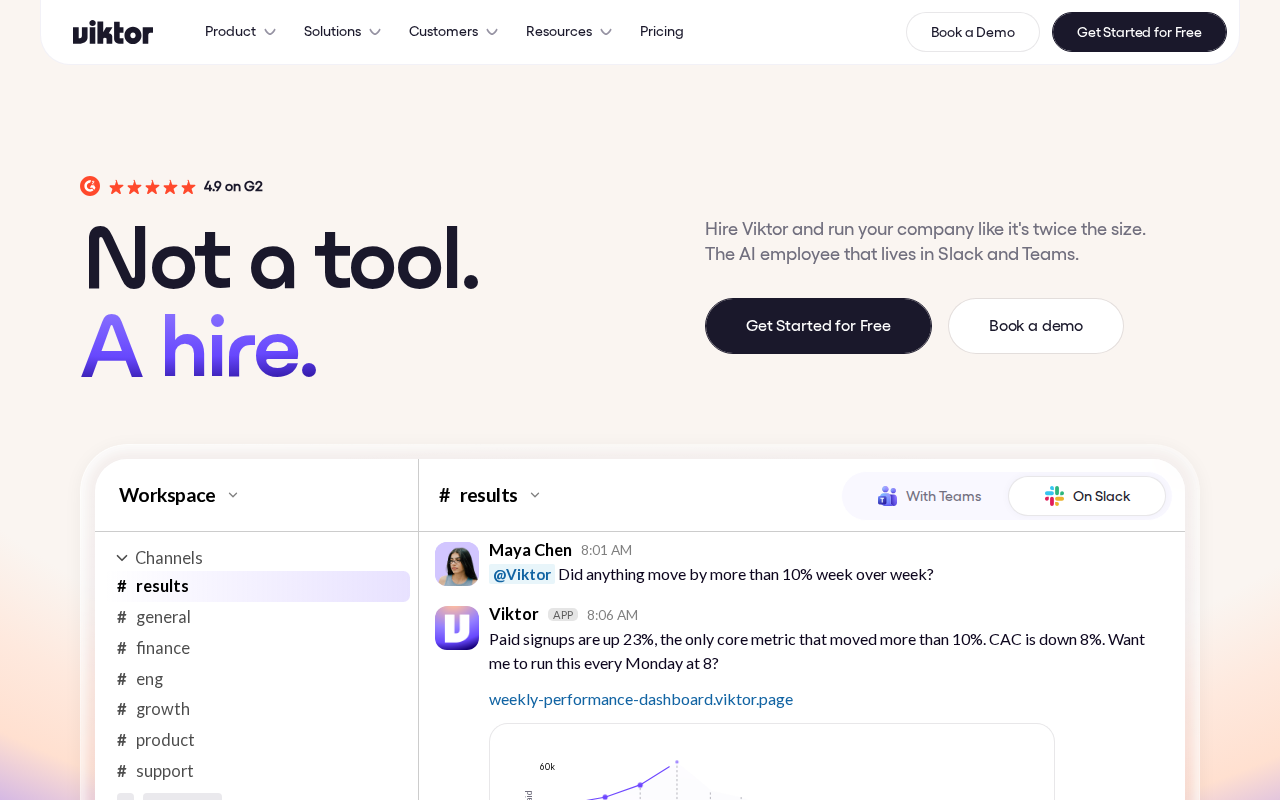
If the appeal of Squad was named teammates you can talk to, Viktor puts them where your team already works. It describes itself as "the AI employee that lives in Slack and Microsoft Teams, connects to 3,200+ tools, and does the work."
That distribution choice matters more than it sounds. Squad gives each teammate its own email address so work can route to it. Viktor takes the other route: it lives in the channel where the conversation is already happening, so there is no new surface to check.
Strengths: a genuinely free entry point with $100 in credits and no card required, paid plans from $50/month, 3,200+ integrations against Squad's 70+, per-team data isolation, and SOC 2 Type 1 with Type 2 in progress. It also executes code, opens pull requests, and deploys applications, which is a wider remit than most tools here.
Limitations: it is credit-metered, so heavy months cost more, and the Slack and Teams dependency is a constraint if your team does not use either. The per-team isolation model is coarser than Squad's per-agent credentials if you need strict separation between individual agents.
3. Tasklet: Best for Permissions and Predictable Spend
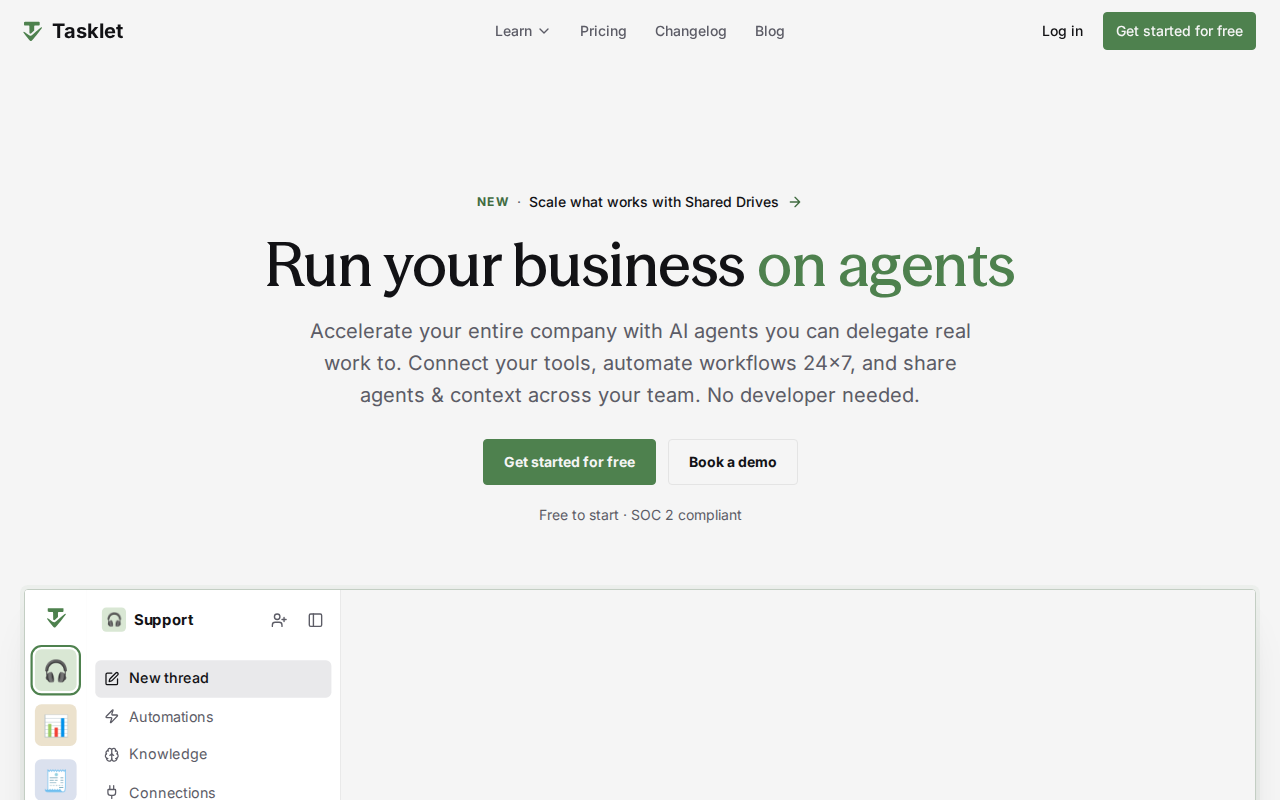
Tasklet is the closest competitor to Squad's actual thesis, and it undercuts it substantially on price.
It offers "granular permissions over who can build, run, and connect what," multi-model support across Claude, GPT, Gemini and Kimi, SOC 2 compliance, and an agent browser for legacy systems that have no API. Most usefully for anyone nervous about metered billing, admins can view usage across the organisation and set limits for individual agents, which caps the runaway-cost risk that makes flat pricing attractive in the first place.
Pricing: Free with 300 bonus credits per day and 10 executions per automation. Starter is $25/month with 10,000 credits plus 600 bonus credits daily and unlimited automation runs. Pro is $100/month with 40,000 credits. Custom starts at $250/month for 100,000 credits. Billing is "pay for work, not seats," so team members are unlimited.
Strengths: free tier, no seat fees, per-agent spend caps, and model choice without bringing your own subscription.
Limitations: credits still require attention, and top-ups are priced at $5 per 1,600 credits with a $25 minimum. We compared the wider field in Tasklet alternatives.
4. Lindy: Managed Agents With the Model Included
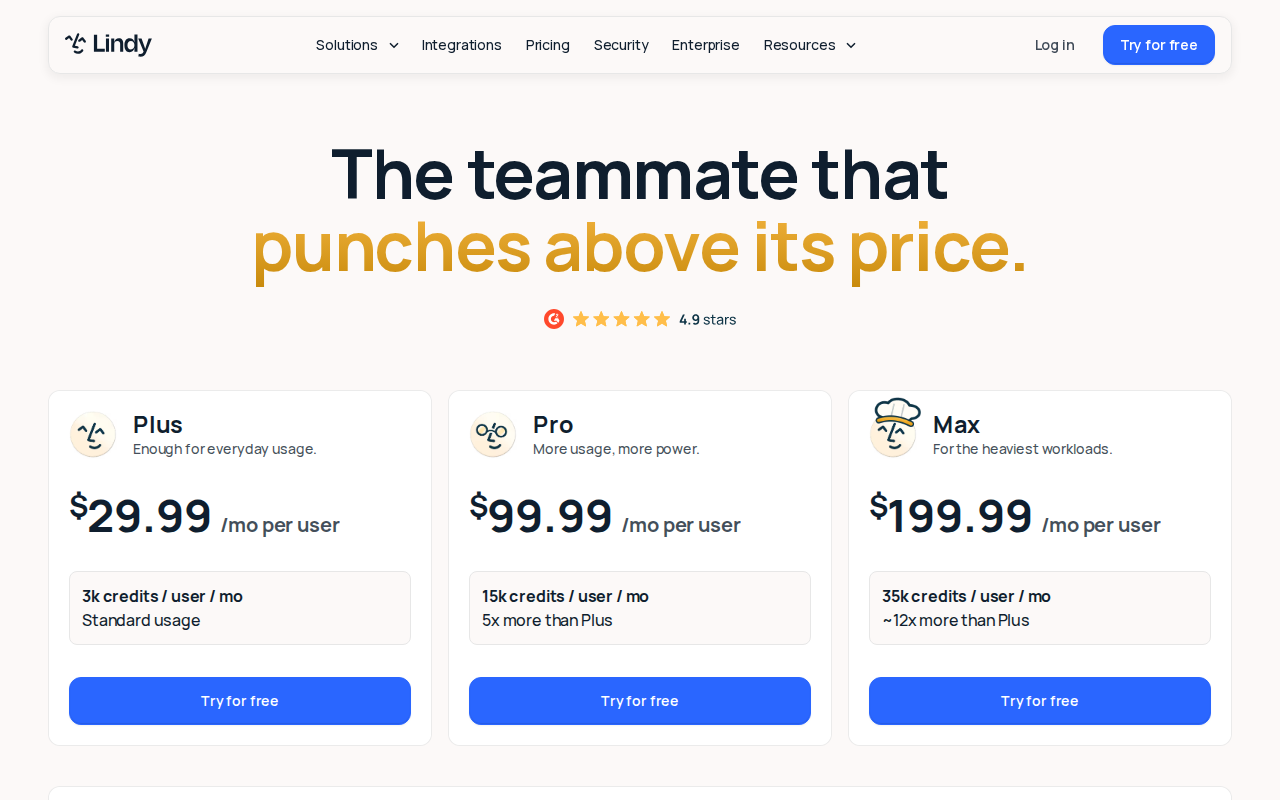
If you want teammates without managing a second AI subscription, Lindy includes the model in the price.
Plans are $29.99/month per user (Plus, 3,000 credits per user), $99.99 (Pro, 15,000 credits), and $199.99 (Max, 35,000 credits). Agents consume credits per task.
Strengths: no separate AI plan to manage, a large template library, and a much lower entry point than Squad's all-in floor.
Limitations: the pricing is per user, which is the opposite of Tasklet's model and gets expensive for a team quickly. Cost also scales with success, which is exactly when a variable bill is least welcome. Model choice is more constrained than Squad's bring-your-own approach.
5. n8n: Cheapest at Scale, and You Own It
The contrarian pick, and often the correct one. A large share of what people want from an agent squad is not judgment at all. It is a reliable recurring job: move this data, watch that inbox, post on a schedule, alert me on a condition.
n8n does that with 500+ integrations, self-hostable for free on a small server, with AI steps where reasoning is genuinely needed. Cloud plans start around €20/month.
Strengths: deterministic and debuggable, so when it breaks you can see which step failed. Self-hosting keeps data on your own infrastructure, which matters under GDPR or HIPAA. At volume it is dramatically cheaper than any metered platform. Zapier Agents is the more mainstream version of this idea if you already live in Zapier, with a free tier of 400 activities a month.
Limitations: you design the workflow; it will not work out the goal for you. Self-hosting is real operational work. A poor fit for genuinely open-ended tasks.
If your intended use case can be drawn as a flowchart, build the flowchart. It will be cheaper, faster, and it will not hallucinate.
6. Grok Bot and Claude Cowork: One Generalist Instead of a Squad
If you do not need several named teammates and would rather have one capable agent with a real computer, these are the mainstream options.
Grok Bot gives each Bot a persistent cloud computer with a browser, filesystem, and terminal. Access now starts at $20/month with Cursor Pro, having launched far higher. The trade-off is exactly what Squad markets against: all your Bots share one computer, one set of files, and one set of logins, so it is the wrong choice when client separation matters. Claude Cowork is included on paid Claude plans from $20/month and is the cheapest credible way to find out whether agent workflows suit you at all.
We covered the field in Grok Bot alternatives and the operating rules in Grok Bot best practices.
7. OpenClaw: Own the Whole Stack
OpenClaw is free and open source if you are willing to self-host and cover model API costs, with cloud options from around $49/month. It runs on any OS and gives you complete control over what the agent can reach.
Strengths: no vendor pricing model to outgrow, full auditability, and genuine data ownership.
Limitations: you are now operating infrastructure. Free software still means paying for servers and model usage, and the maintenance time is real. We compared the options in OpenClaw alternatives.
How to Choose: Three Questions
1. Is the outcome a business, or a set of tasks? If you are trying to sell something, capture leads, and keep customers, an orchestration layer will spend months learning what a business platform already knows. If you need arbitrary work done across tools you already own, the reverse is true.
2. Do you genuinely need per-agent separation? This is Squad's strongest feature and the main reason to pay its floor. If you handle client data that must stay separated, it is worth real money, though Tasklet offers granular permissions from $25/month. If you are a solo operator whose accounts are all your own, you are paying for a boundary you do not need.
3. What does a quiet month cost you? Flat pricing means paying the floor in January when nothing happened. Metered pricing means an unpredictable bill in November when everything did. Pick the failure mode you would rather have, or pick a platform with per-agent caps and get some of both.
What Nobody Tells You About Agent Platforms
- The setup is the actual product. Most of the value comes from writing down a process you had only ever held in your head. That work is yours on every platform here, which is also why switching costs are lower than they look.
- Bring-your-own-model is a real feature and a real chore. No markup is genuinely good. Managing a second subscription, its quota, and its outages is genuinely annoying.
- Per-agent permissions matter more than per-agent personalities. Naming your agents is fun. Scoping what each one can reach is the part that prevents an incident.
- Check whether pricing is per seat or per work. Two platforms at the same headline price can differ by an order of magnitude once your team grows. Lindy charges per user; Tasklet explicitly does not.
- Most of what you want automated is not agent work. Count the genuinely open-ended tasks on your list. It is usually two or three, and the rest is cheaper and more reliable as a plain workflow.
Squad Alternatives FAQ
Is there a free Squad alternative?
Several. Tasklet has a free plan with 300 bonus credits a day, Viktor gives $100 in credits with no card required, and self-hosted n8n is free beyond server costs. Crevio has a free Starter plan if what you want is an AI that runs a business rather than a set of teammates. Squad itself has no free tier, though it offers a 7-day money-back guarantee on a first payment.
How much does Squad actually cost?
$99/month to Squad, plus your own AI subscription, which Squad suggests budgeting at $100 to $200. That is roughly $199 to $299 all-in. The upside is that Squad adds no per-task charges on top, so the number stays stable as usage grows.
What is the main difference between Squad and Tasklet?
Pricing model and floor. Squad charges a flat $99 and you bring your own AI subscription. Tasklet starts free, has paid plans from $25/month with credits included, charges nothing per seat, and lets admins set spend limits per agent. Both offer granular permissions, which is the feature that matters most for client work, so the decision usually comes down to whether you prefer a predictable floor or a low entry point.
Is Squad worth it for a solo founder?
It depends on whether you need per-agent separation, which is its strongest feature and mainly matters when you handle other people's data. A solo operator whose accounts are all their own can usually get further on a free tier first, then move up once the workload is proven and the flat fee beats the meter.
What should I use instead of Squad for running an online store?
An agent orchestration layer is not built for commerce, so you would be wiring together checkout, subscriptions, and customer records yourself and keeping them in sync. A platform where those are native is a better fit. That is the case Crevio is built for, and we compared the wider category in AI business builder.
Buy the squad when you have work that genuinely needs separating. Buy the platform when what you want is for the work to already be done.
Related Blog Posts
What will you sell today?
Describe what you want to sell — Crevio builds, launches, and grows it. Products, payments, and marketing, all on autopilot.
Start for free