Your business,
on autopilot.
One platform for creating, running and growing your business, powered by AI.
AI Agent Web Scraping Tools: 9 Options Compared on Price, Blocks and Legality





Last updated: September 2026
Cloudflare, which says it handles traffic for 20% of the web, now asks every new site that signs up whether AI crawlers may read it. The web your AI agent wants to read is closing one door at a time, and the tools that get agents through those doors have become a category of their own. Picking one is now as much about what you are allowed to read, and what it will cost at scale, as about what the tool can technically do.
This guide compares nine AI agent web scraping tools: Exa, Tavily, Firecrawl, Jina Reader, Crawl4AI, Apify, Browserbase, Browser Use, and Bright Data. It is for founders and small teams who want an agent to research competitors, monitor prices, or pull data from websites, and who want to know which tool fits, what it really costs, and where the legal lines are.
- The tools do four different jobs: search the web, read a page, crawl a whole site, or drive a real browser. Most business research needs only the first two
- The cheapest tier is usually enough to start. Every tool here has a free plan, free credits, or an open-source version
- Cost blows up through multipliers, not the headline price: whole-site crawls, structured output, and daily re-runs stack into hundreds of thousands of credits
- "Anti-bot handling" means getting past a site that said no. It is useful, and it is also where the legal risk rises
Quick Comparison
| Tool | Main job | Free to start | Paid from | Handles blocked sites | Output |
|---|---|---|---|---|---|
| Exa | Search | $10 free credits | $7 per 1,000 searches | Not its job | Results, page text, highlights |
| Tavily | Search, plus extract | 1,000 credits a month | $30 a month for 4,000 credits | Light | Results, short answer, page content |
| Jina Reader | Read one page | 10M tokens with a free key | Pay by tokens | Renders JavaScript, optional proxies | Markdown |
| Firecrawl | Read and crawl | 1,000 credits a month | $16 a month, billed yearly | Yes, on the hosted service | Markdown, HTML, JSON, screenshots |
| Crawl4AI | Crawl, self-hosted | Free, open source | Your own servers, or its cloud | You bring proxies | Markdown |
| Apify | Ready-made scrapers | $5 of usage a month | $19 a month | Proxy pools | JSON, CSV, Excel |
| Browserbase | Cloud browsers | 1 browser hour | $20 a month for 100 hours | Stealth and CAPTCHA solving on paid plans | Whatever your agent extracts |
| Browser Use | Browser agent | Open source, $15 cloud credits | $0.02 per browser hour | Stealth browsers in its cloud | Task results |
| Bright Data | Unblocking at scale | 5,000 requests a month | $1.50 per 1,000 successful requests | Strongest, including CAPTCHAs | HTML, Markdown, JSON |
Prices come from each tool's pricing page in September 2026. They change often, so check before you commit.
The Four Jobs Web Scraping Tools for AI Agents Do
"Web scraping" covers four quite different jobs, and most bad tool choices come from buying for the wrong one.
- Search the web. The agent has a question and needs sources. A search API returns ranked links with page text attached, so the agent can answer "what do competitors charge for X?" without visiting ten sites
- Read a page. The agent has a URL and needs its content as clean text. A reader strips menus, ads, and scripts and returns Markdown a model can work with
- Crawl a whole site. The agent needs every product page, every blog post, or every listing on a domain. A crawler follows links, respects limits you set, and returns hundreds or thousands of pages
- Drive a real browser. The page needs a login, a click, a search box, or a scroll before the data appears. Only a real browser, controlled by the agent, gets there
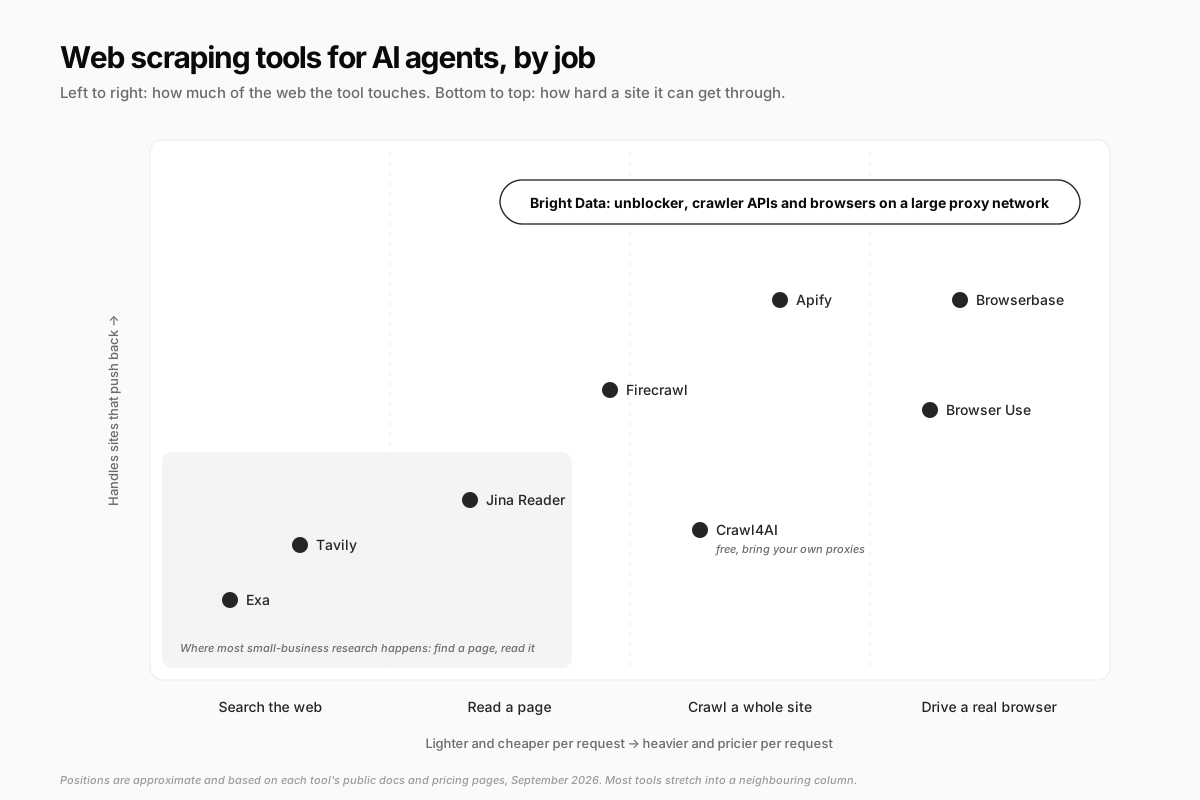
The shaded corner matters most. Competitor pricing checks, market research, supplier lookups, and reading documentation are nearly all "find a page, read it." You only move right, and up, when a specific site forces you to.
Search Tools: Exa and Tavily
Exa
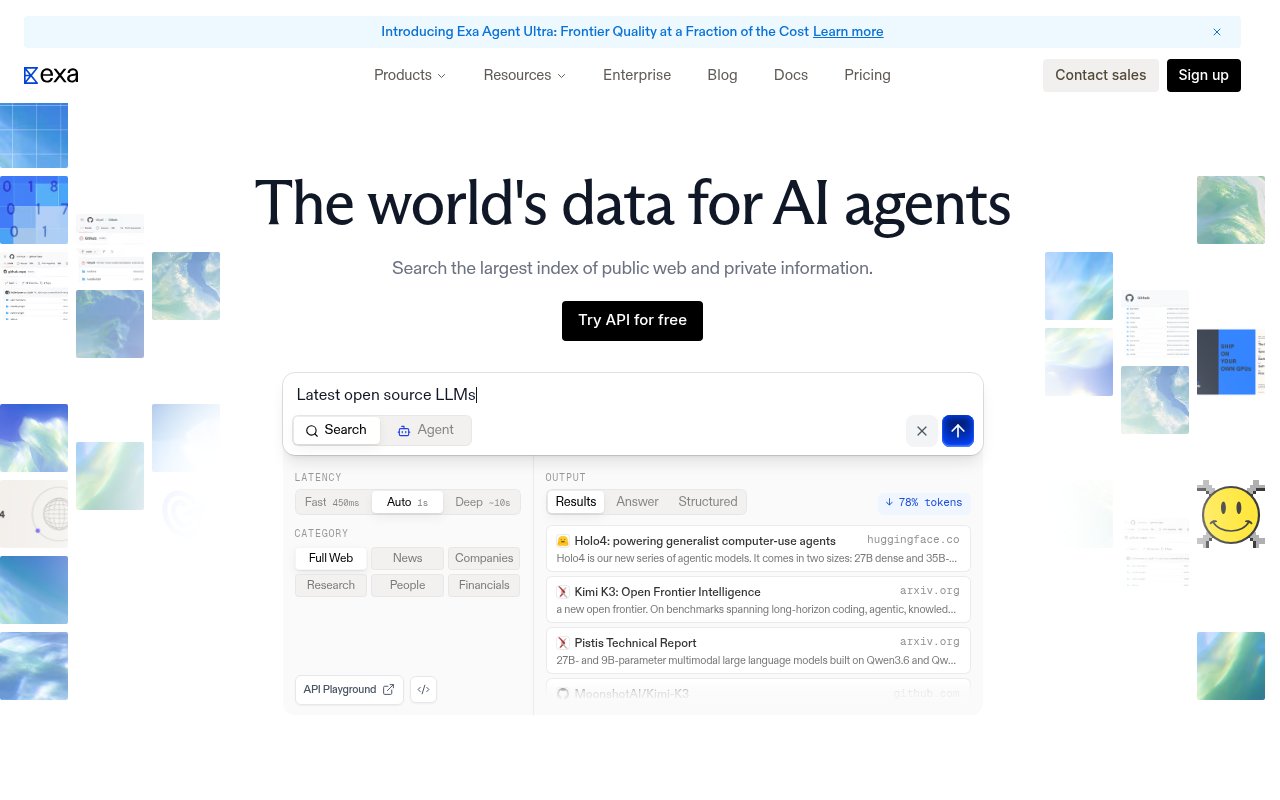
Exa runs its own search index built for AI rather than wrapping a consumer search engine. You send a query, and it returns results with the page text, highlights, or a summary already attached, so the agent can skip a separate fetch step. It also offers category filters for news, companies, research papers, and people.
Pricing: new accounts get $10 in free credits. Standard search costs $7 per 1,000 requests, the fastest tier $4, and fetching page contents $1 per 1,000 pages, per its pricing page.
Best for: research questions where finding the right sources is the hard part. Watch out for: it is a search tool. If the page you need is not in its index, or sits behind a login, Exa will not get it.
Tavily
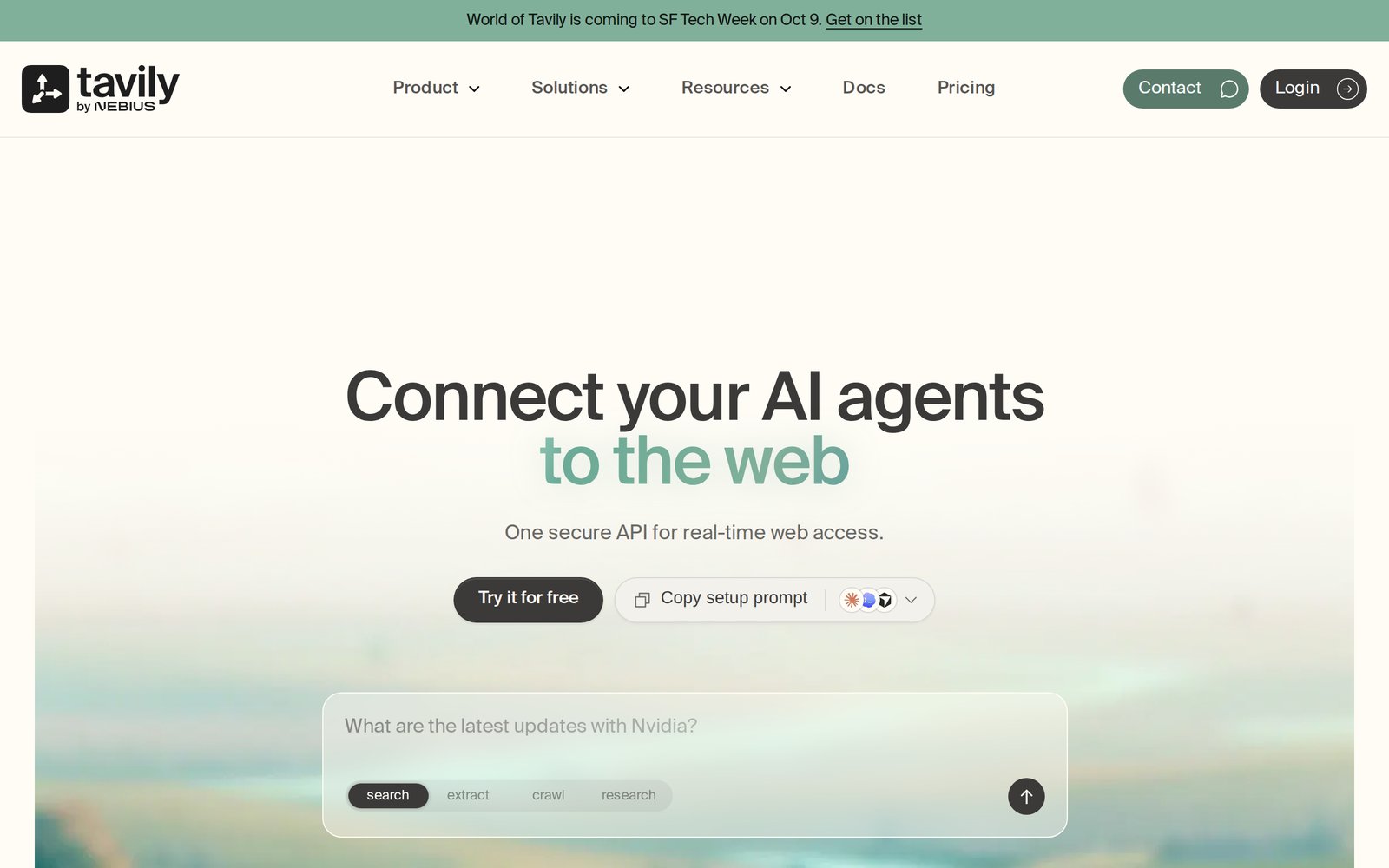
Tavily is a search API designed for agents, and it has grown into extract, map, and crawl endpoints as well. In February 2026, cloud provider Nebius agreed to acquire it for a reported $275 million.
Pricing: 1,000 free credits a month with no card. A basic search costs 1 credit and an advanced one 2; extracting content costs 1 credit per 5 URLs. The Project plan is $30 a month for 4,000 credits, and pay-as-you-go is $0.008 a credit, according to its credit docs.
Best for: a single, cheap API that covers search plus light page reading. Watch out for: its research endpoint can use up to 250 credits per request, so a "deep research" loop drains a free plan fast.
Reading and Crawling Tools
Firecrawl
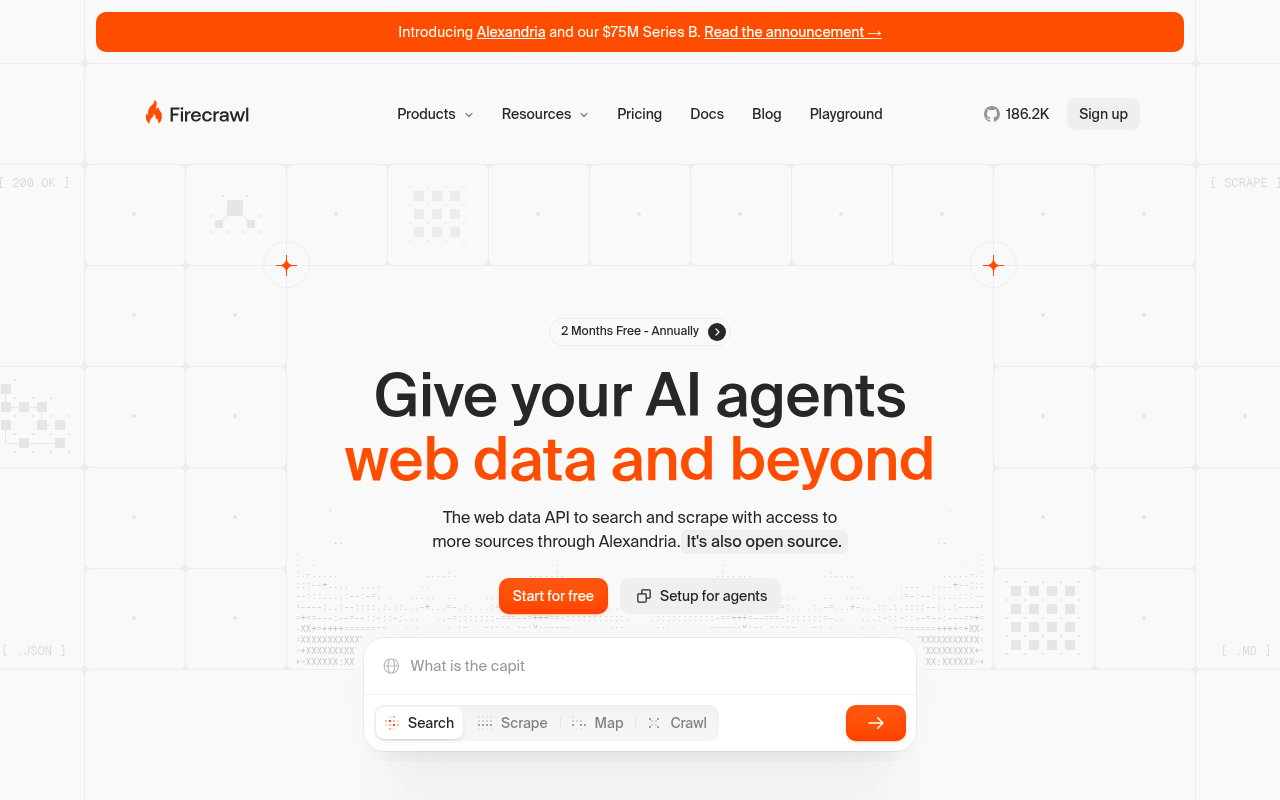
Firecrawl is one of the most popular ways to turn web pages into text a model can use, and its open-source repository has over 186,000 GitHub stars. Give it a URL and it returns clean Markdown, HTML, structured JSON, or a screenshot. Give it a domain and it maps or crawls the whole site. It renders JavaScript and handles many protected sites on its hosted service.
Pricing: the free plan includes 1,000 credits a month. Scraping, crawling, or mapping costs 1 credit per page, a search costs 2 credits per 10 results, and structured JSON output adds 4 credits per page. Hobby is $16 a month and Standard $83 a month for 100,000 credits, both billed yearly, per its pricing page.
Best for: turning known websites into clean text or structured data with one API. Watch out for: the JSON multiplier. It is the easiest way to spend five times what you planned, as the cost section below shows.
Jina Reader
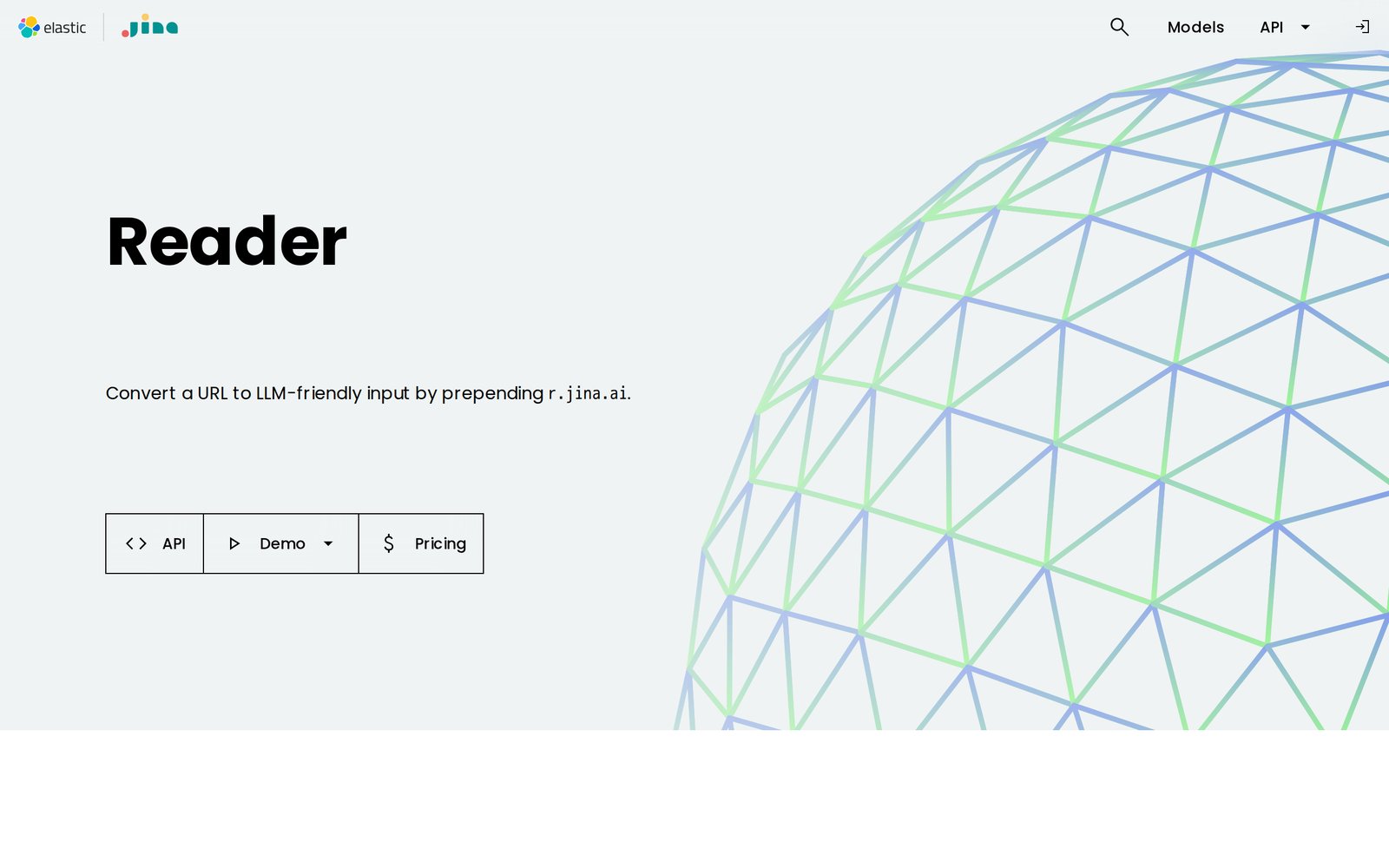
Jina Reader has the simplest interface on this list: put r.jina.ai/ in front of any URL and you get the page back as Markdown. By default it renders the page in a headless browser so JavaScript runs first, and it has a companion search endpoint. Jina AI is now part of Elastic, which acquired it in October 2025.
Pricing: it works without a key at 20 requests a minute. A free API key comes with 10 million tokens, and after that you pay by tokens processed. Failed requests are not charged.
Best for: reading one page at a time with zero setup. It also offers an option to check a site's robots.txt before fetching, which is a nice default to switch on. Watch out for: it reads pages, it does not crawl sites, and heavily protected pages need your own proxy.
Crawl4AI
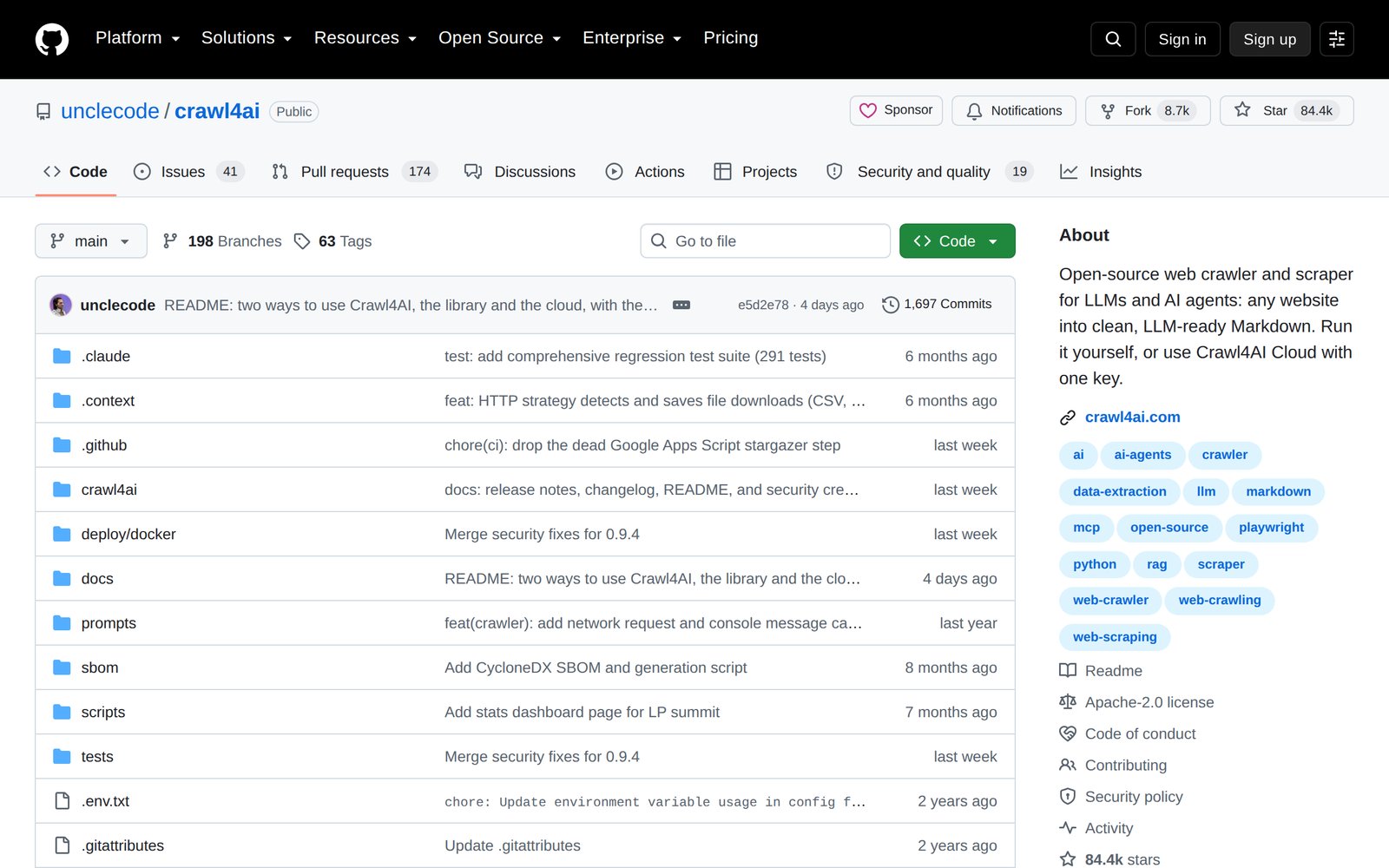
Crawl4AI is the free, open-source option, licensed Apache 2.0 with over 84,000 GitHub stars. It crawls sites and turns them into Markdown, runs on your own machine or server, and now also has a hosted cloud version.
Pricing: free to self-host. You pay for the server, and for proxies if you need them.
Best for: technical teams that want full control and no per-page bill. Watch out for: "free" moves the cost into your time. Blocked sites, broken selectors, and proxy rotation become your problem.
Apify
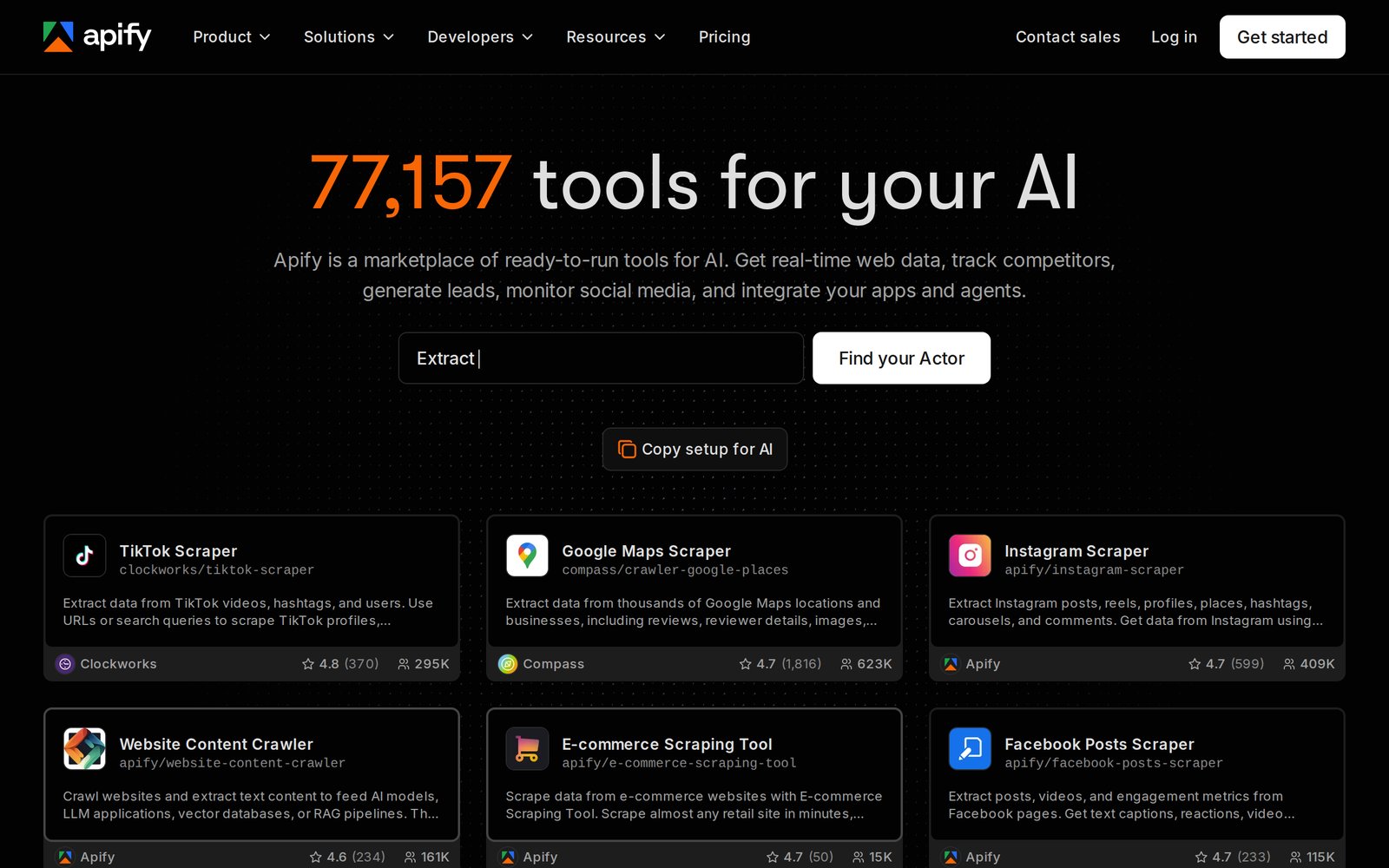
Apify takes a different approach: instead of one scraper, it runs a marketplace of ready-made ones, called Actors. Its homepage lists more than 77,000, from Google Maps and TikTok scrapers to a general website content crawler, and agents can call them through its MCP server. Results come back as datasets you can export to JSON, CSV, or Excel.
Pricing: the free plan includes $5 of platform usage a month. Starter is $19 a month and Scale $199, each including that amount as usage. Residential proxies cost about $8 per GB on the lower plans, per its pricing page. Many Actors charge per result on top.
Best for: well-known sites where someone has already built and maintains a scraper. Watch out for: quality varies between Actors, and many of the popular ones target platforms whose terms forbid scraping. Read the target's terms, not just the Actor's rating.
Browser Tools: Browserbase and Browser Use
Browserbase
Browserbase runs real Chrome browsers in the cloud for your agent to control, with session replays so you can see what the agent did. It also maintains Stagehand, an open-source toolkit that lets you write browser steps in plain English instead of code.
Pricing: the free plan includes 1 browser hour. Developer is $20 a month with 100 hours, then $0.12 an hour, and 1 GB of proxy traffic, then $12 per GB. Basic stealth and CAPTCHA solving start on Developer, while advanced stealth is on the custom Scale plan, per its pricing page. It also sells simpler fetch and search APIs.
Best for: agents that must log in, click, and fill forms on sites without an API. Watch out for: proxy bandwidth. Browser hours are cheap; pulling image-heavy pages through residential proxies at $12 per GB is not.
Browser Use
Browser Use is an open-source framework (MIT license, about 117,000 GitHub stars) that lets an AI model operate a browser: read the page, decide the next click, repeat until the task is done. Its cloud adds stealth browsers and proxies, which the project's README recommends for reducing bot detection and CAPTCHAs.
Pricing: the library is free. Cloud browsers cost $0.02 an hour and residential proxies $5 per GB. Its managed agents charge the AI model's cost plus 20%. Eligible sign-ups get $15 in credits that do not expire.
Best for: multi-step tasks described in plain language, like "find the three cheapest suppliers and fill in their quote forms." Watch out for: every step is a model call. A 40-step task on a large model costs far more than the browser time.
Unblocking at Scale: Bright Data
Bright Data is the heavyweight. It sells proxies from what it says are over 400 million IPs, an unblocker API that solves CAPTCHAs and rotates identities, remote browsers, ready-made scraper APIs, and pre-collected datasets. Its Web MCP server gives agents search, scraping, and browsing in one connection.
Pricing: the Web MCP has a free tier of 5,000 requests a month with no card. Web Unlocker is $1.50 per 1,000 requests and you pay only for successful ones, with spend limits you can set, per its pricing page.
Best for: sites that fight hard, at volumes where success rate matters more than price. Watch out for: it gets you past blocks, so you own the question of whether you should be there. More on that below.
How AI Agent Web Scraping Costs Blow Up
Nobody's bill surprises them because a single page cost too much. Bills surprise people because an agent turned one instruction into thousands of requests. Four multipliers do it:
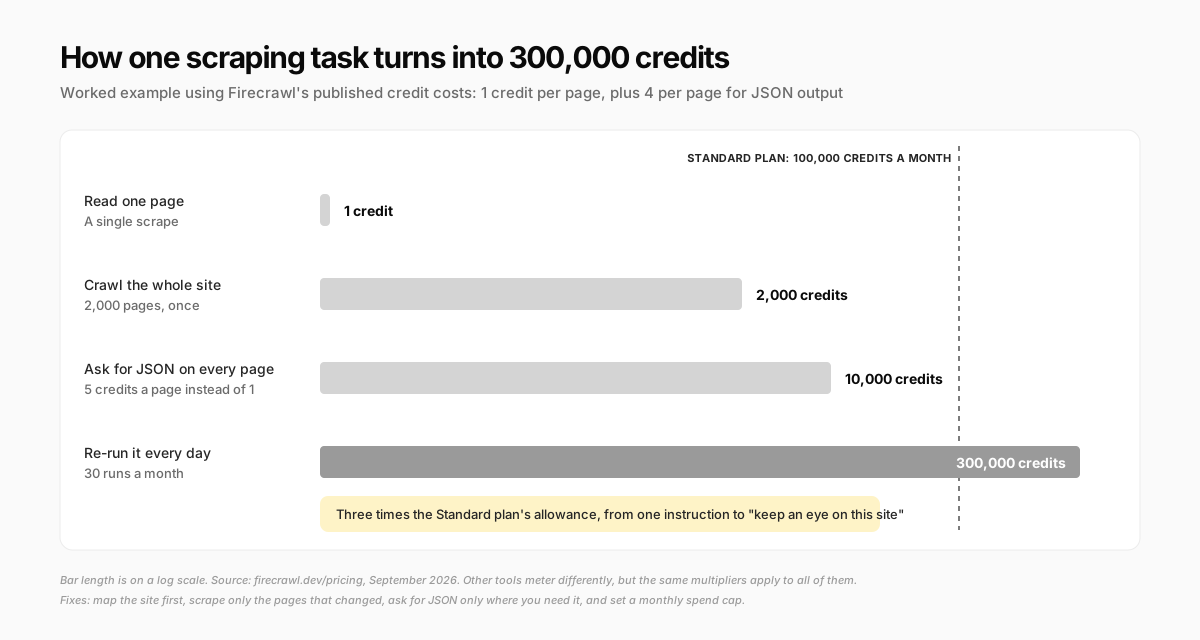
- Scope: "check their pricing" becomes "crawl their site" when the agent cannot find the pricing page
- Format: structured output often costs several times plain text
- Frequency: a daily scheduled task is 30 runs a month, and hourly is 720
- Retries: when a page fails, agents try again, sometimes with a heavier tool. Browser tools also bill for the model's thinking at every step
The fixes are dull and effective. Map a site before crawling it, and scrape only the pages that changed. Ask for JSON only where you will actually use the fields. Put a request budget in the task ("at most 50 pages") and set the monthly spend cap most of these tools offer. And prefer search first: one search that returns page text often replaces ten fetches. Our breakdown of AI agent running costs covers the model side of the same bill.
Blocked Sites: What "Anti-Bot Handling" Really Means
Sites block agents in layers. Some check the user agent and refuse anything that is not a known browser. Some serve content only after JavaScript runs. Some rate-limit by IP, show CAPTCHAs, or require a login. The tools above answer each layer with a heavier technique: browser rendering, residential proxies, fingerprint "stealth," and CAPTCHA solving.
Two things are worth knowing before you pay for the heavy end.
Sites are fighting back harder. Since July 2025, Cloudflare prompts every new domain to decide on AI crawler access at sign-up, and it is piloting a way for owners to charge crawlers per page. Its opt-in AI Labyrinth goes further: bots that ignore no-crawl rules get fed an endless maze of AI-generated decoy pages. An agent stuck in one burns credits collecting junk, and nothing in the output tells you it happened. Spot-check what came back.
Getting past a block is a choice with consequences. A CAPTCHA or a login wall is the site owner saying no. Bypassing it may be fine (a site that blocks all bots but publishes public prices you are allowed to compare), or it may be exactly what gets you sued, as the next section shows. The strongest unblocker is the right tool far less often than its marketing suggests.
Is AI Agent Web Scraping Legal?
This is not legal advice, and the answer depends on your country, the site, and the data. But the main lines are clearer than they were five years ago.
robots.txt is a request, not a lock
RFC 9309, the standard behind robots.txt, says plainly that its rules are not a form of access authorization. Ignoring them is not hacking. It is, however, evidence of intent if a dispute ever reaches a court, and reputable crawlers honor it. The simple policy: follow robots.txt unless you have a specific reason not to, and write that reason down.
Public data is not "hacking," but terms of service are a contract
The long hiQ Labs v. LinkedIn case split in two. On the US anti-hacking law, the Ninth Circuit held in April 2022 that scraping publicly available pages likely does not count as access "without authorization". On contract, hiQ still lost, because it had accepted LinkedIn's terms and used fake accounts, and the case ended in a judgment against it. We covered that outcome and why you should never let an agent scrape LinkedIn in our guide to building prospect lists with AI agents.
The flip side came in January 2024, when a court ruled in Meta v. Bright Data that Facebook's and Instagram's terms do not bar logged-out scraping of public data. The practical rule from both cases: scraping public pages while logged out is far safer than scraping while logged in. The moment your agent signs in, it has agreed to the site's terms.
Circumvention and copyright
Reading facts is different from copying expression. US copyright protects how something is written, not the underlying facts, so collecting prices, opening hours, or product specs is a different act from republishing someone's articles. Bypassing technical protections is its own risk: in October 2025 Reddit sued Perplexity and three scraping providers, arguing that rotating IPs and disguising bots to get around blocks violated the DMCA's anti-circumvention rules. That case is still open, but the theory is aimed squarely at "anti-bot handling."
Personal data changes everything
If what you scrape identifies people, privacy law applies no matter how public the page is. The Dutch data protection authority fined Clearview AI €30.5 million in 2024 for building a database of scraped photos without consent. Data about companies is lower risk; lists of people need a legal basis, a reason, and a plan for deletion requests.
A five-line policy covers most small-business scraping:
- Public pages only, logged out, unless you have your own account and the terms allow it
- Follow robots.txt and a polite pace, a few requests a minute per site
- Collect facts, not whole articles or images to republish
- No personal data without a clear legal basis
- If a site blocks you, ask whether it has an API or a data feed before reaching for an unblocker
Which Web Scraping Tool Should Your Agent Use?
Start from the job, not the brand:
- Answering questions from the web: Exa or Tavily. Both have free tiers that cover hundreds of searches a month
- Reading specific pages you already know: Jina Reader for one page at a time, Firecrawl when you want structure or whole sites
- A popular platform with a ready-made scraper: Apify, after checking that platform's terms
- Free and fully in your control: Crawl4AI, if you have someone to run it
- Logins, forms, and clicks: Browserbase if you write code, Browser Use if you want the agent to plan the steps
- Protected sites at volume: Bright Data, with the legal homework done first
Every one of these assumes you are building your own agent and wiring tools into it. If you would rather have an agent that already has a browser and a way to read the web, there is another route.
How Crevio's Agent Reads the Web
Crevio is an AI business builder: an AI agent that runs day-to-day work for your business, from your website and products to marketing and research. For reading the web, it comes with three things built in:
- Web search that cites its sources. The agent searches the web and gets back an answer with the links it came from, which it can then open and read in full
- A page reader. It reads any public URL as text, including JSON feeds, and converts PDFs, Word documents, and spreadsheets into readable text. It identifies itself as Crevio's agent rather than pretending to be a person's browser
- Its own computer with a real browser. For pages that need JavaScript, clicks, forms, or a login, the agent uses Chrome on its own computer. You can watch the screen live, and it keeps logins between chats. It can work through a list of pages in a loop and save what it finds to a spreadsheet
Those cover the shaded corner of the matrix, plus the logged-in browsing most small businesses need for their own supplier portals and dashboards. A scheduled task can run the same check every morning, like a competitor's pricing page or a supplier's stock levels.
And the honest limits:
- No proxy network or CAPTCHA solving. When a site shows a CAPTCHA or asks for a code sent to your phone, the agent hands you the live screen to finish that step. Passwords you save are filled in without appearing in the chat
- The page reader does not run JavaScript. Pages that build themselves in the browser can come back empty, so those need the browser, which is slower and uses more credits
- It is not a bulk crawler. A few hundred pages is a reasonable job. Tens of thousands of pages a day is what the dedicated tools above are for
- It does not check robots.txt or a site's terms for you. Put the five-line policy above in the task instructions
- Research uses AI credits. The free Starter plan's 20 credits a month are for trying it; regular monitoring needs a paid plan
If a scraping service you already pay for is in Crevio's catalog of 3,000+ integrations, you can connect it, and by default the agent asks before it changes anything in a connected app.
FAQ
There is no single best tool, because they do different jobs. For research questions, a search API like Exa or Tavily. For reading known pages as clean text, Firecrawl or Jina Reader. For logins and clicks, a browser tool like Browserbase or Browser Use. For heavily protected sites, Bright Data. Most small businesses only need search plus a page reader.
Often, yes. Tools with residential proxies, stealth browsers, and CAPTCHA solving get past most blocks. Whether you should is a separate question: a block is the site owner saying no, and bypassing technical protections is the basis of active lawsuits. Check for an official API or data feed first.
Scraping public pages while logged out is generally lower risk in the US, after the hiQ and Meta v. Bright Data rulings. Risk rises when you log in and accept terms that forbid scraping, bypass technical blocks, republish copyrighted content, or collect personal data, which privacy laws like GDPR cover even when it is public.
Light use is often free: most tools here include free monthly credits. Paid plans start around $16 to $30 a month. The real cost depends on scope, format, and frequency. On Firecrawl, one page costs one credit, while a daily crawl of a 2,000-page site with structured output can reach 300,000 credits a month.
The Bottom Line
The right AI agent web scraping tool is the lightest one that gets the job done. Search before you read, read before you crawl, and crawl before you reach for a browser. When a site forces you into stealth proxies and CAPTCHA solving, stop and ask whether it is telling you something. The best scraper is the one you never have to explain.
Related Blog Posts
What will you sell today?
Describe what you want to sell — Crevio builds, launches, and grows it. Products, payments, and marketing, all on autopilot.
Start for free